Tendaworld Product guide · Commercial team · Draft · October 2026

GoPaperlessGoPaperless MIMIMIMI

Product Guide

What the customer sees, screen by screen. Pick a product.

A · Live now on productionB · Coming soon

Logos and every screenSecurySign docs ↗

GoPaperlessGoPaperless

Sign · Seal · Deliver

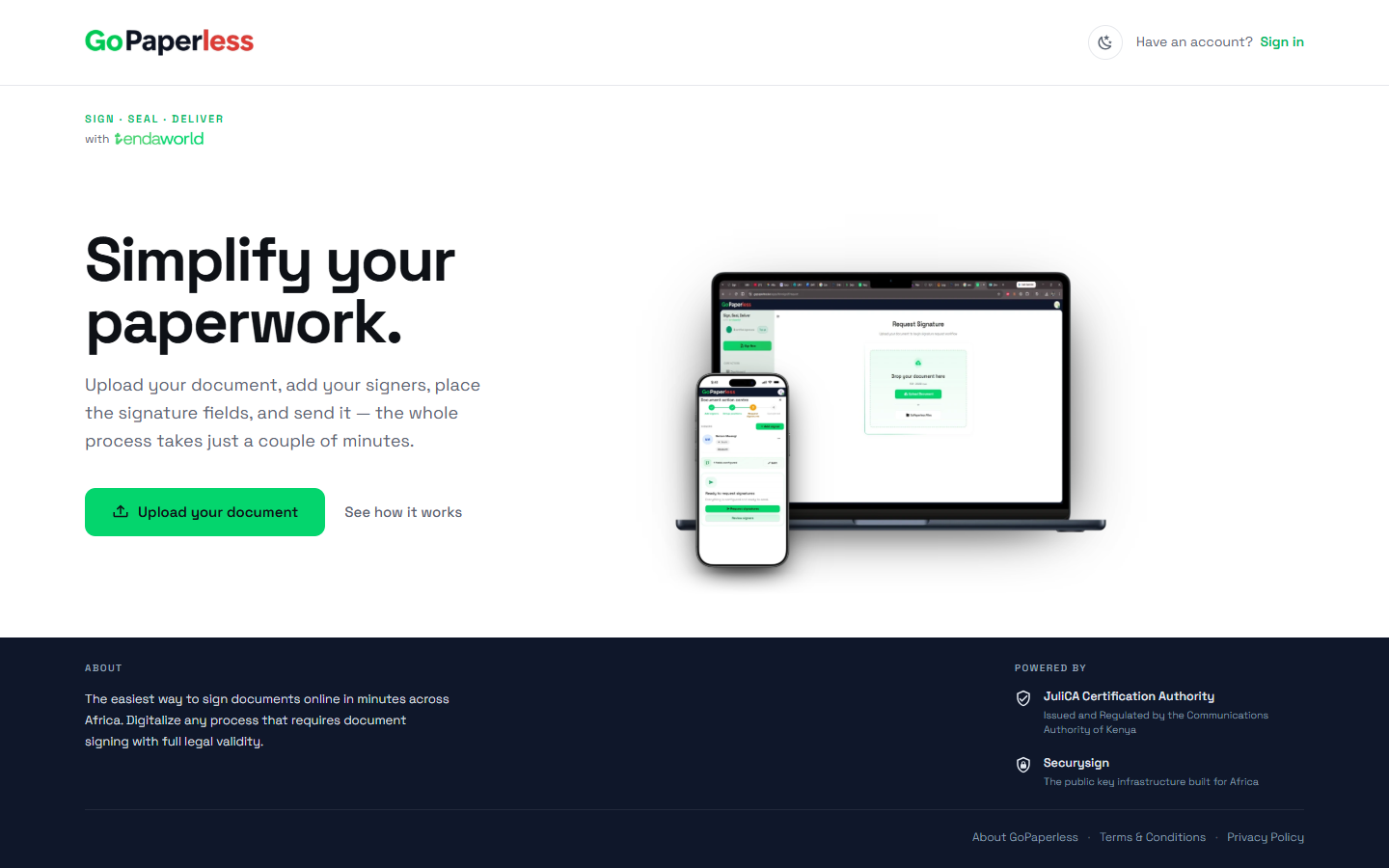
Simplify your paperwork.

Upload your document, add your signers, place the signature fields, and send it. The whole process takes just a couple of minutes.

JuliCA Certification AuthorityIssued and regulated by the Communications Authority of Kenya
SecurySignThe public key infrastructure built for Africa
Journey 1 · returning customersA · Live now

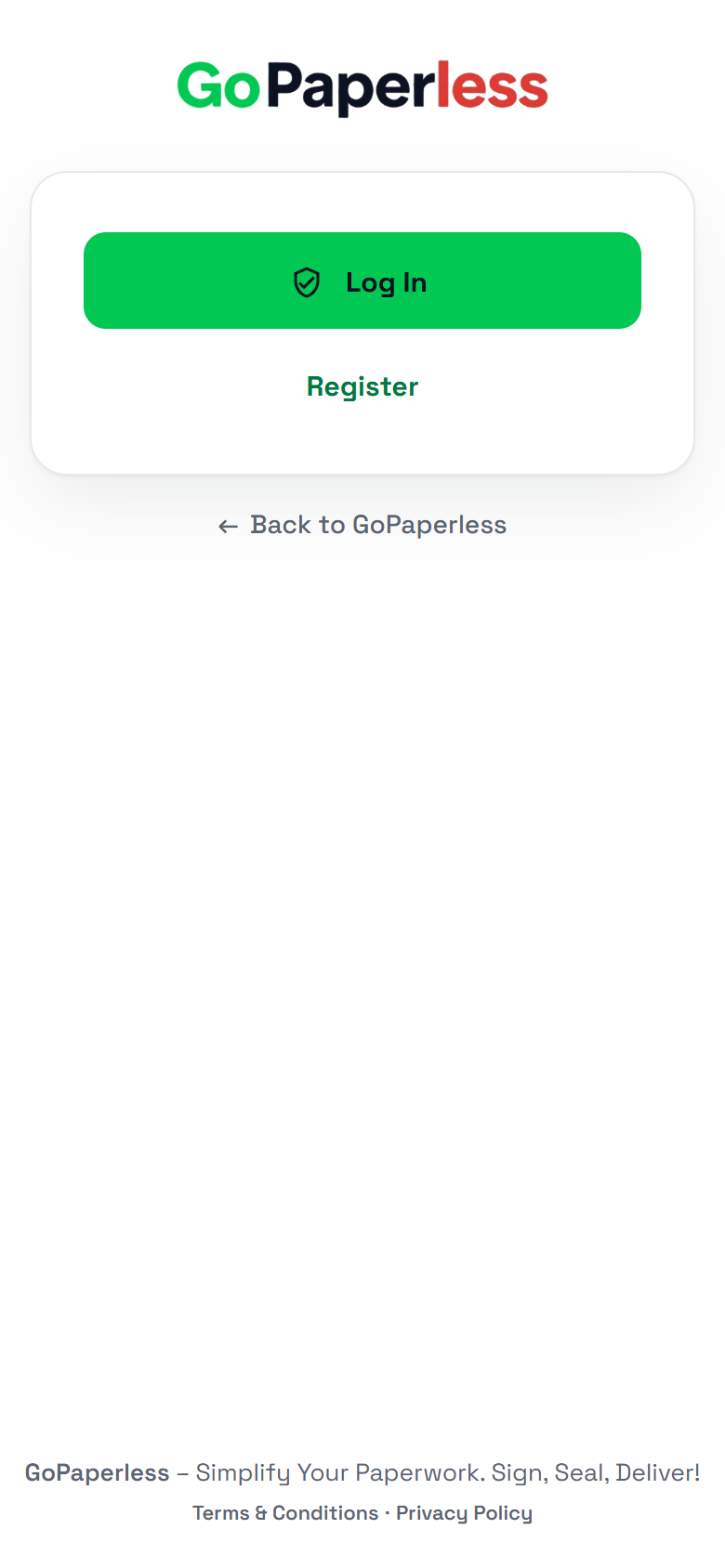
Log in

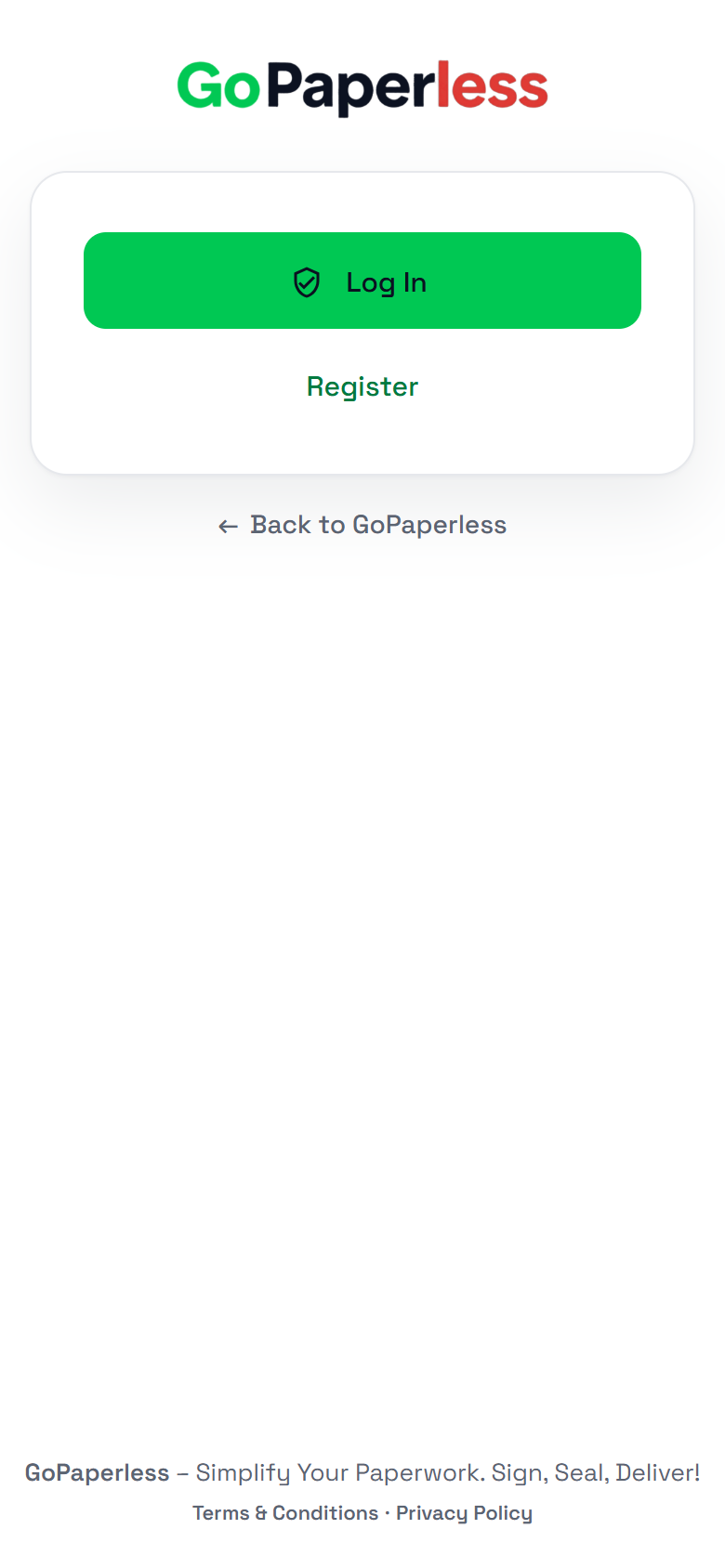
One button. Their Google account is the login, so there is no password to forget.

1Open gopaperless.keTap Sign in at the top right.
2Log inLog in goes through SecurySign to Google.
3Pick the Google accountThe one they registered with.
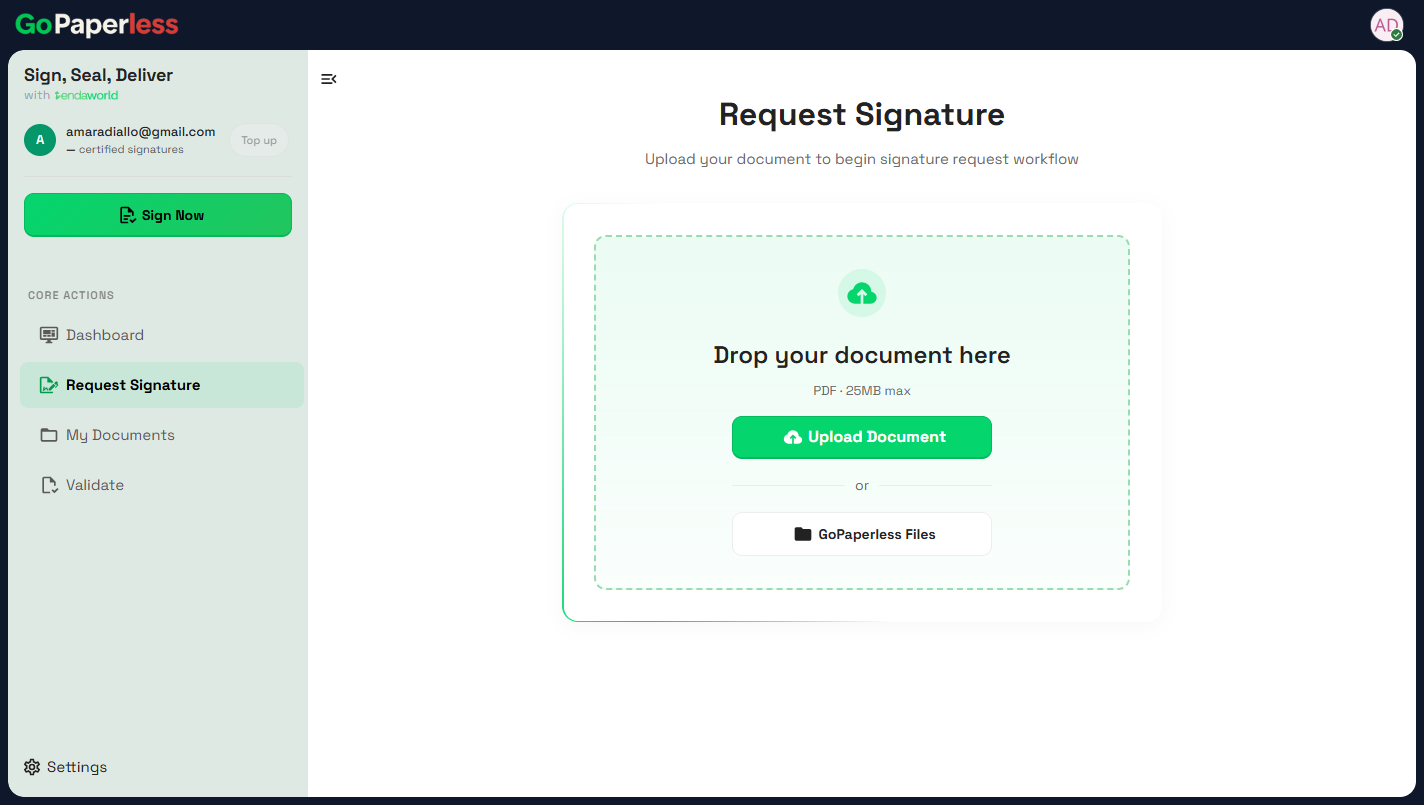
4They're inRequest Signature opens, ready for a PDF.
Journey 2 · new customersA · Live now

Register and get a certificate

Register on GoPaperless, pay KES 300 on tendaworld.com, then SecurySign issues the personal digital certificate.

On tendaworld.com

1Tap RegisterOn the GoPaperless login page.
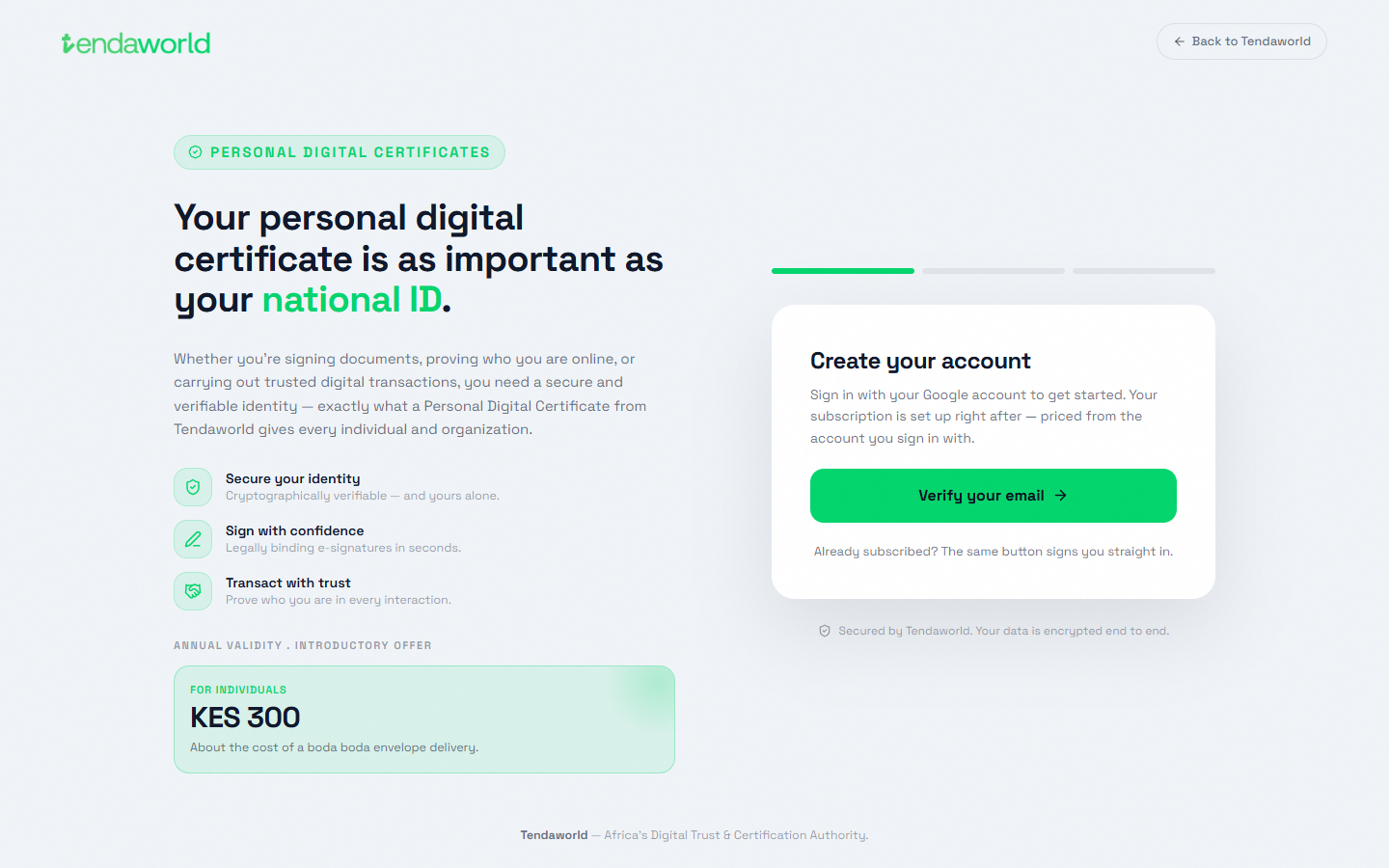
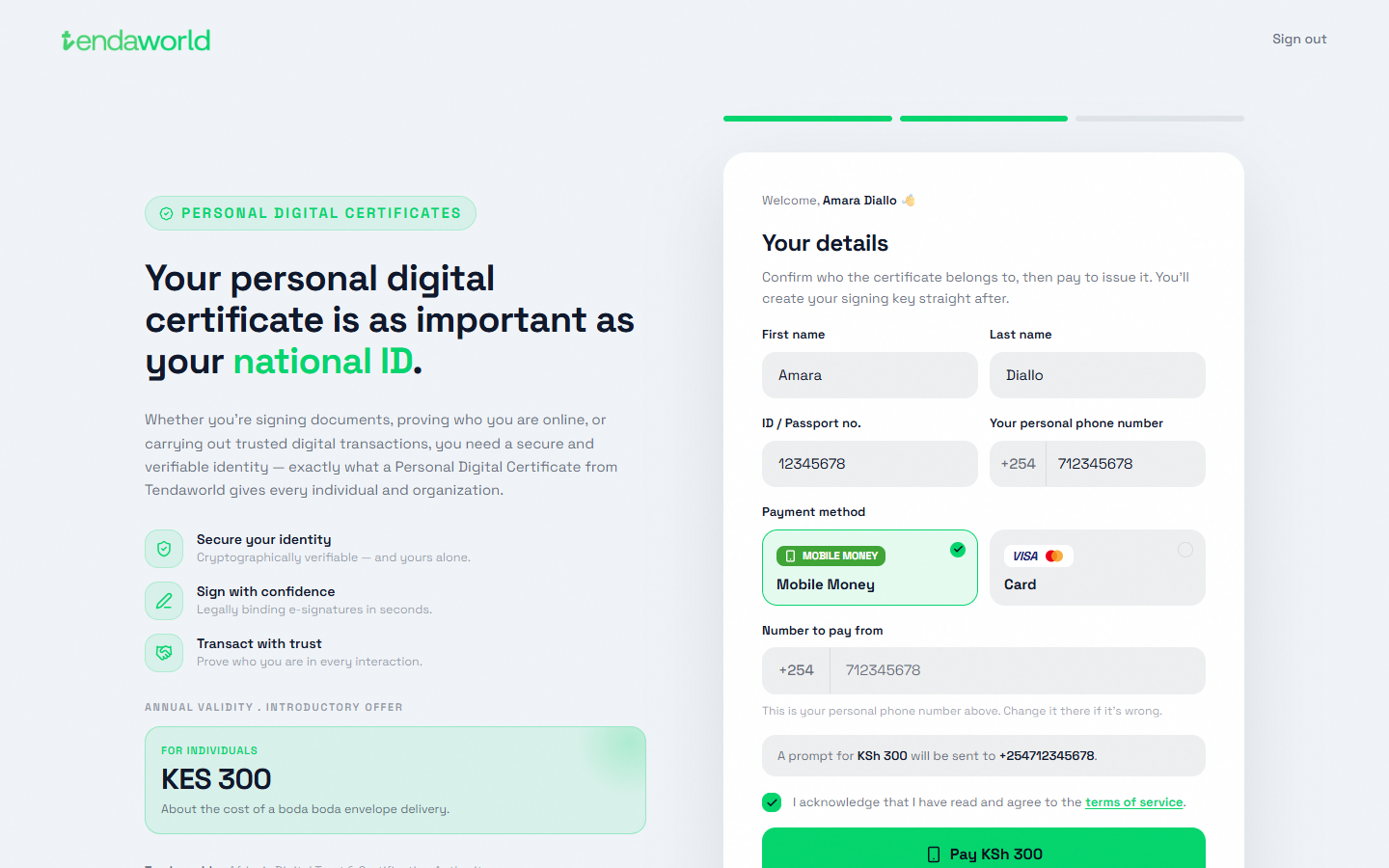
2Verify your emailtendaworld.com/get-started. Sign in with Google. KES 300 a year.
3Pick the Google accountThis account becomes their GoPaperless login.
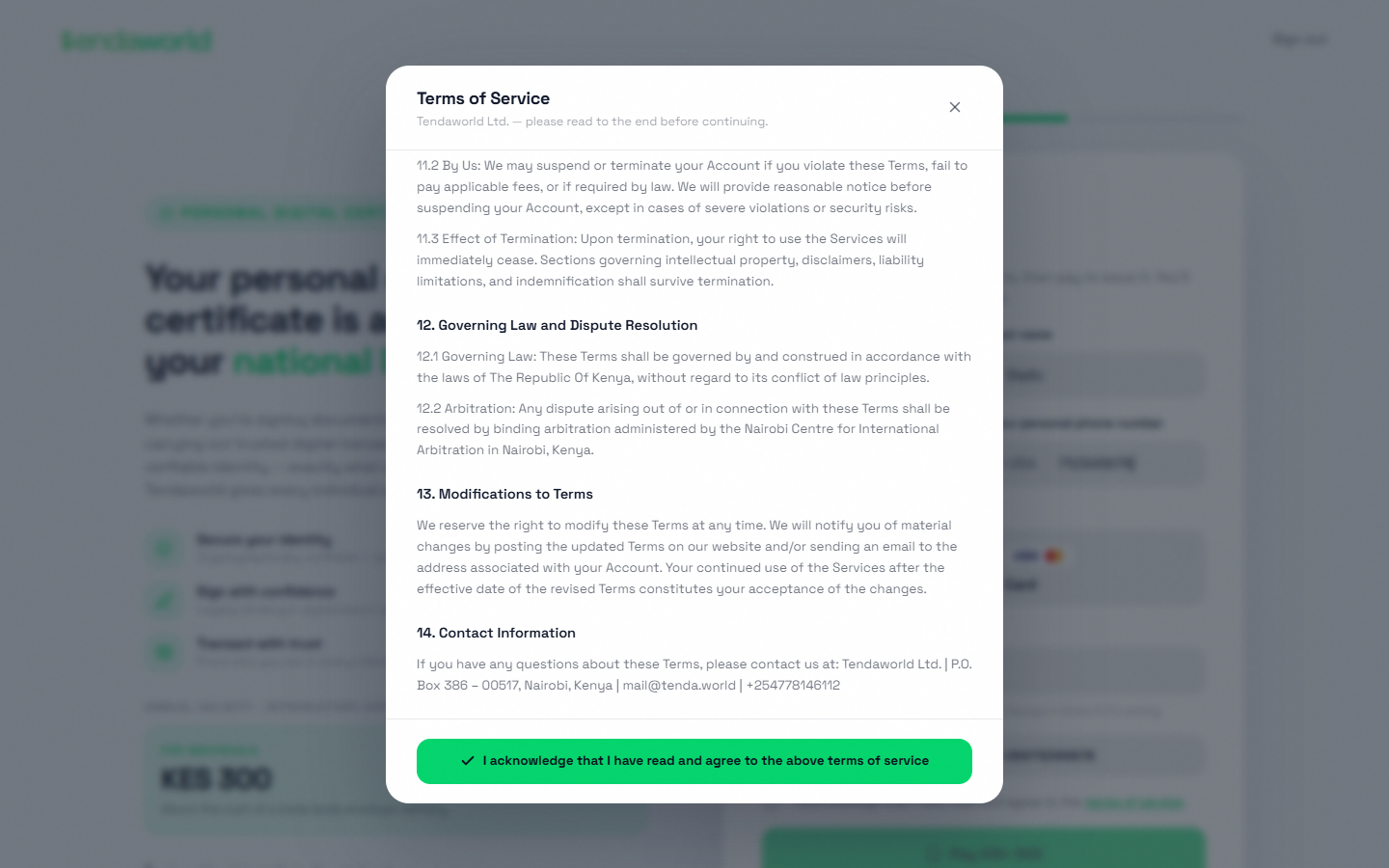
4Accept the termsTicking the box opens the terms. Scroll to the end to accept.
5Details and paymentName as on the ID, ID or passport number, phone. M-Pesa or card.
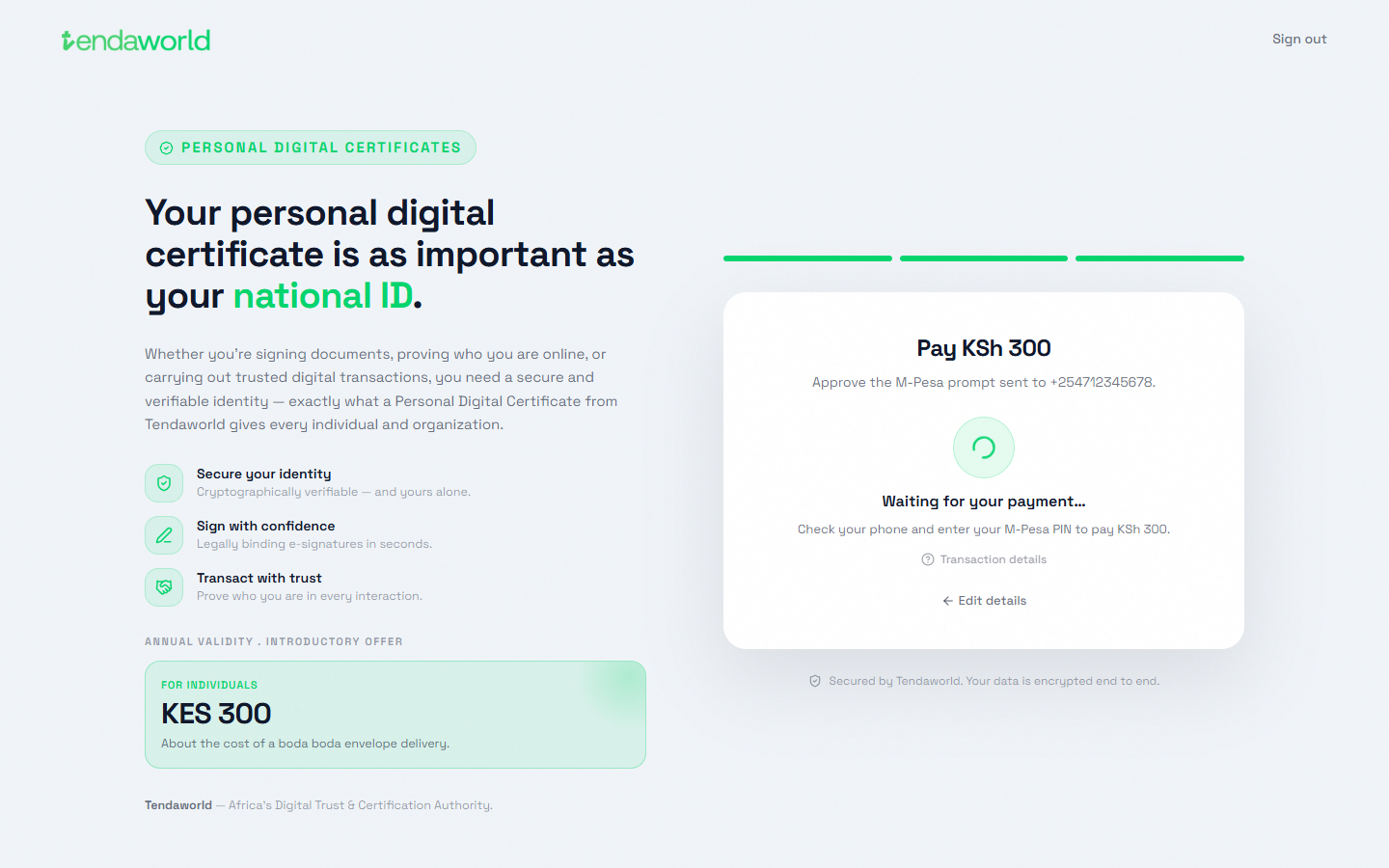
6Approve on the phoneEnter the M-Pesa PIN. The page waits for it.
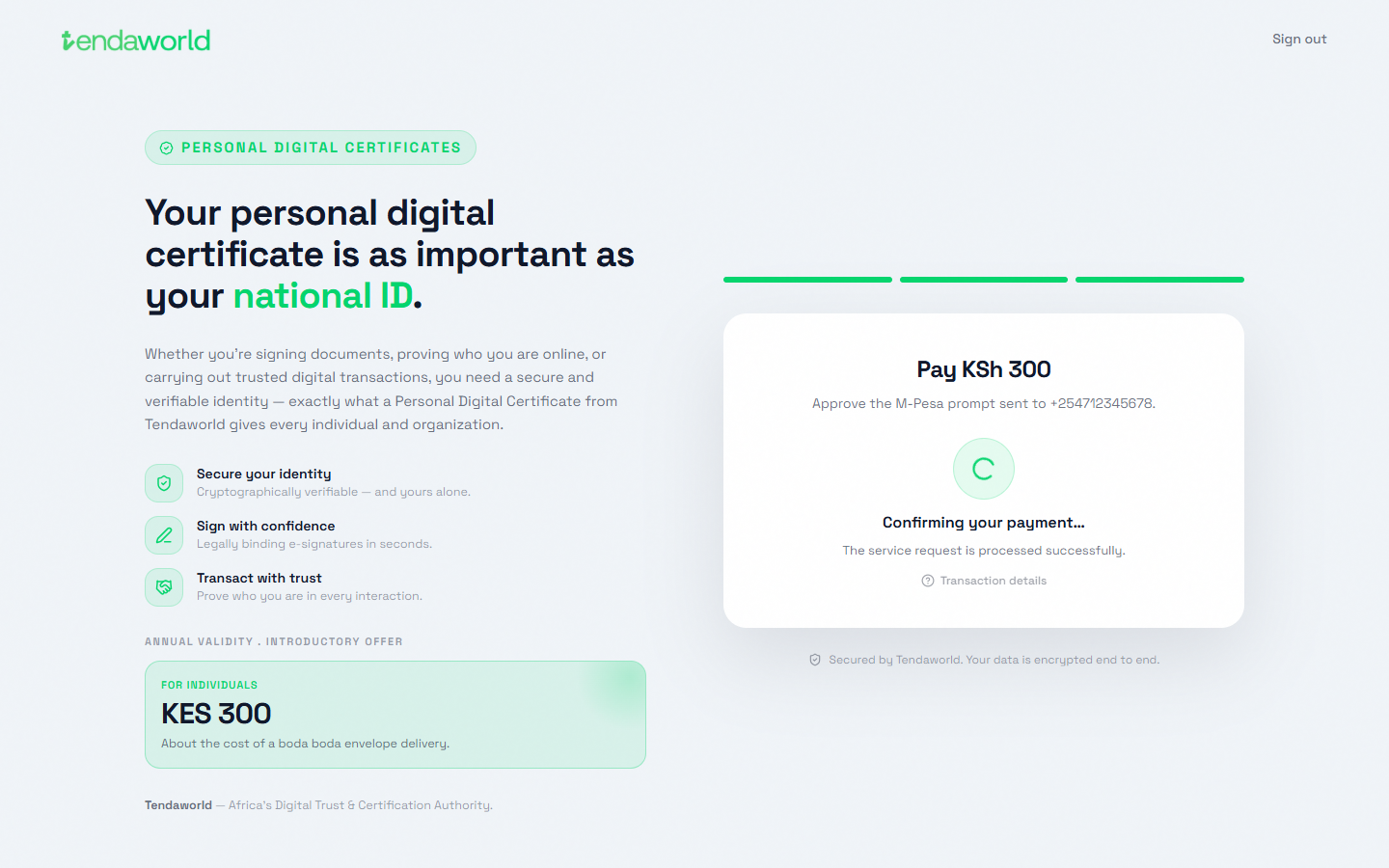
7Payment confirmedThen straight on to SecurySign.

On securysign.com

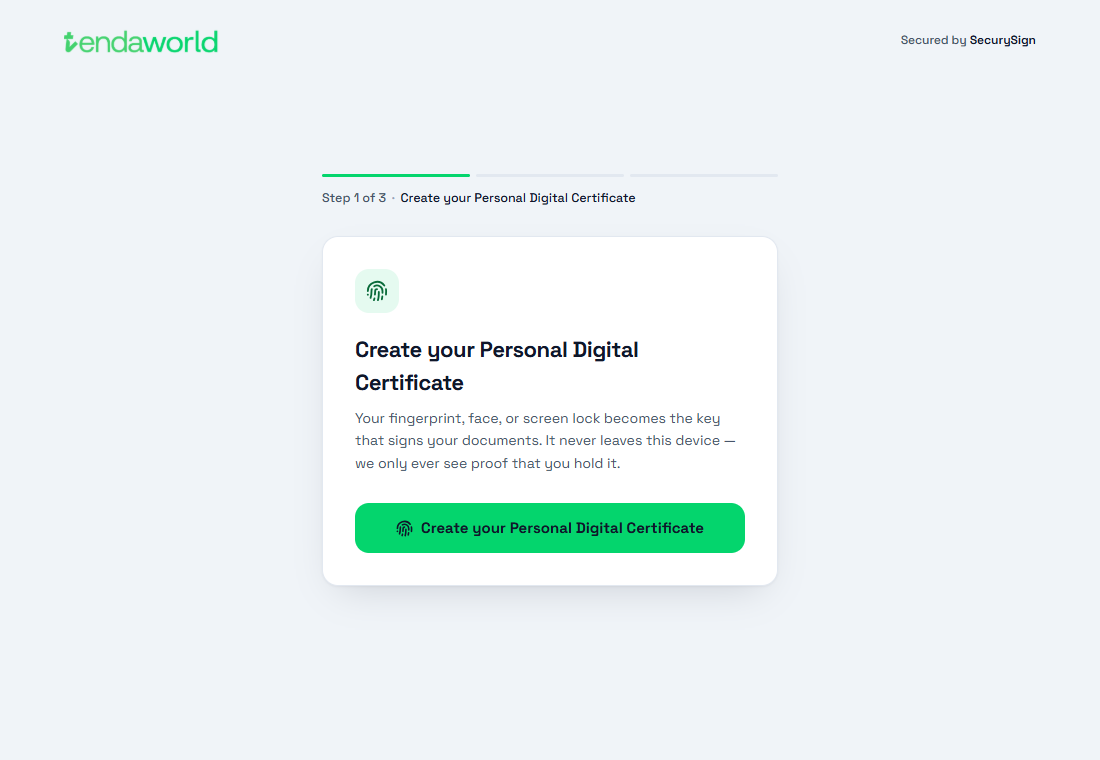
8Create the certificateTheir fingerprint, face or screen lock becomes the key that signs.
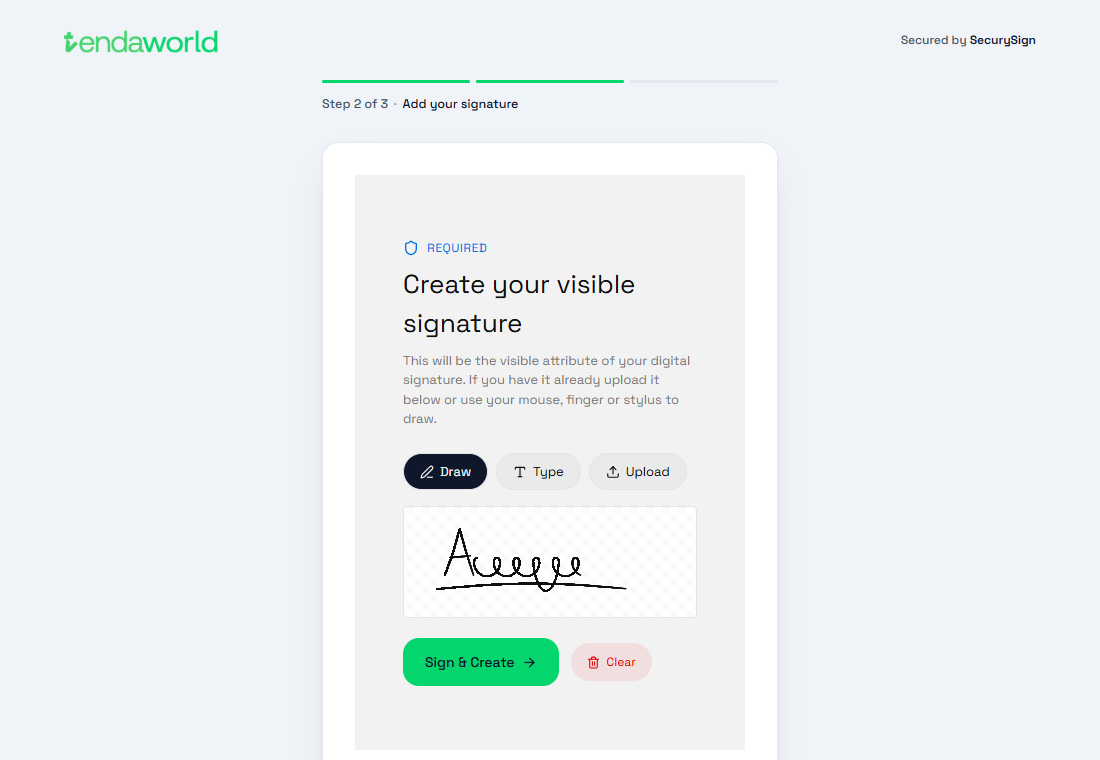
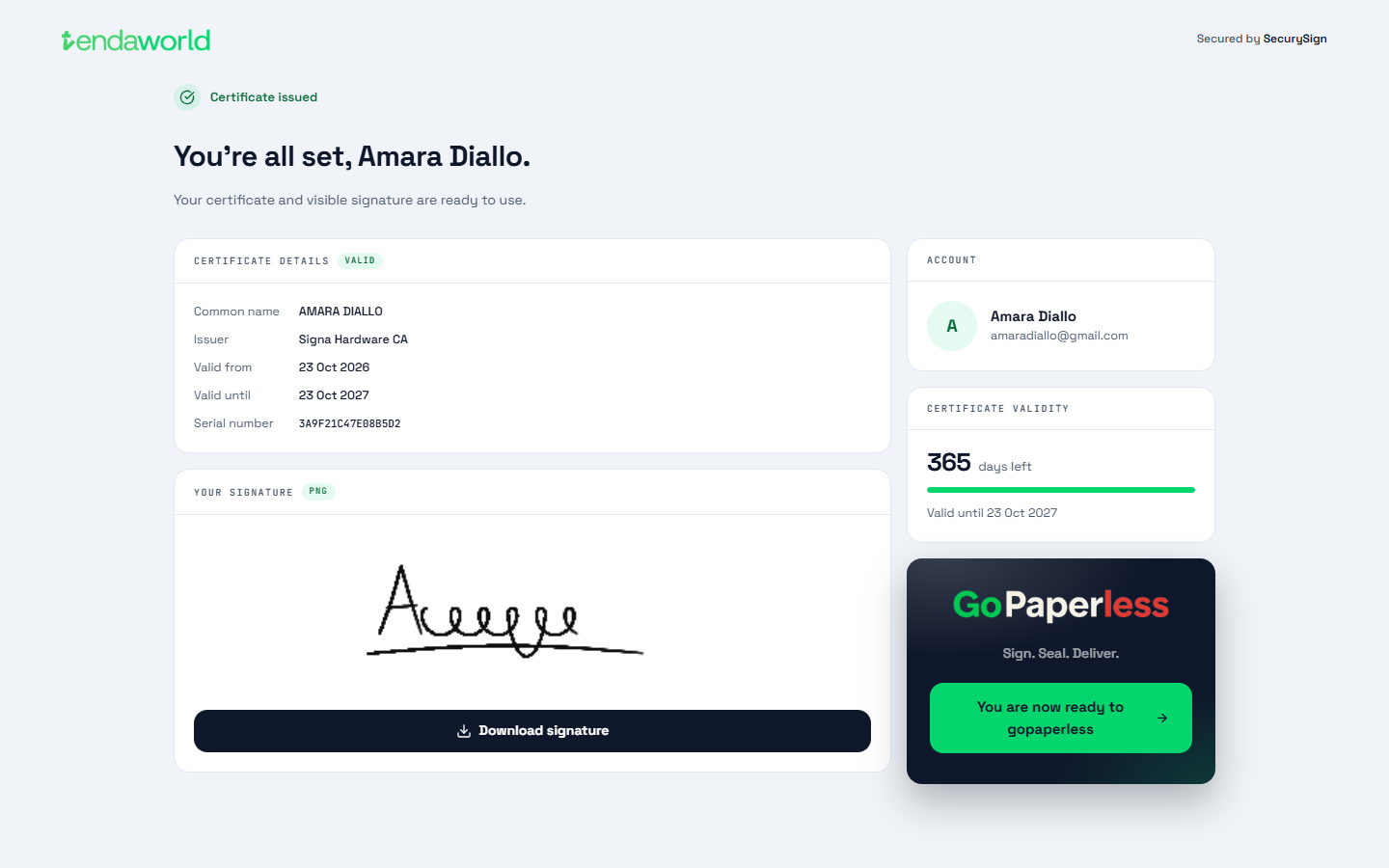
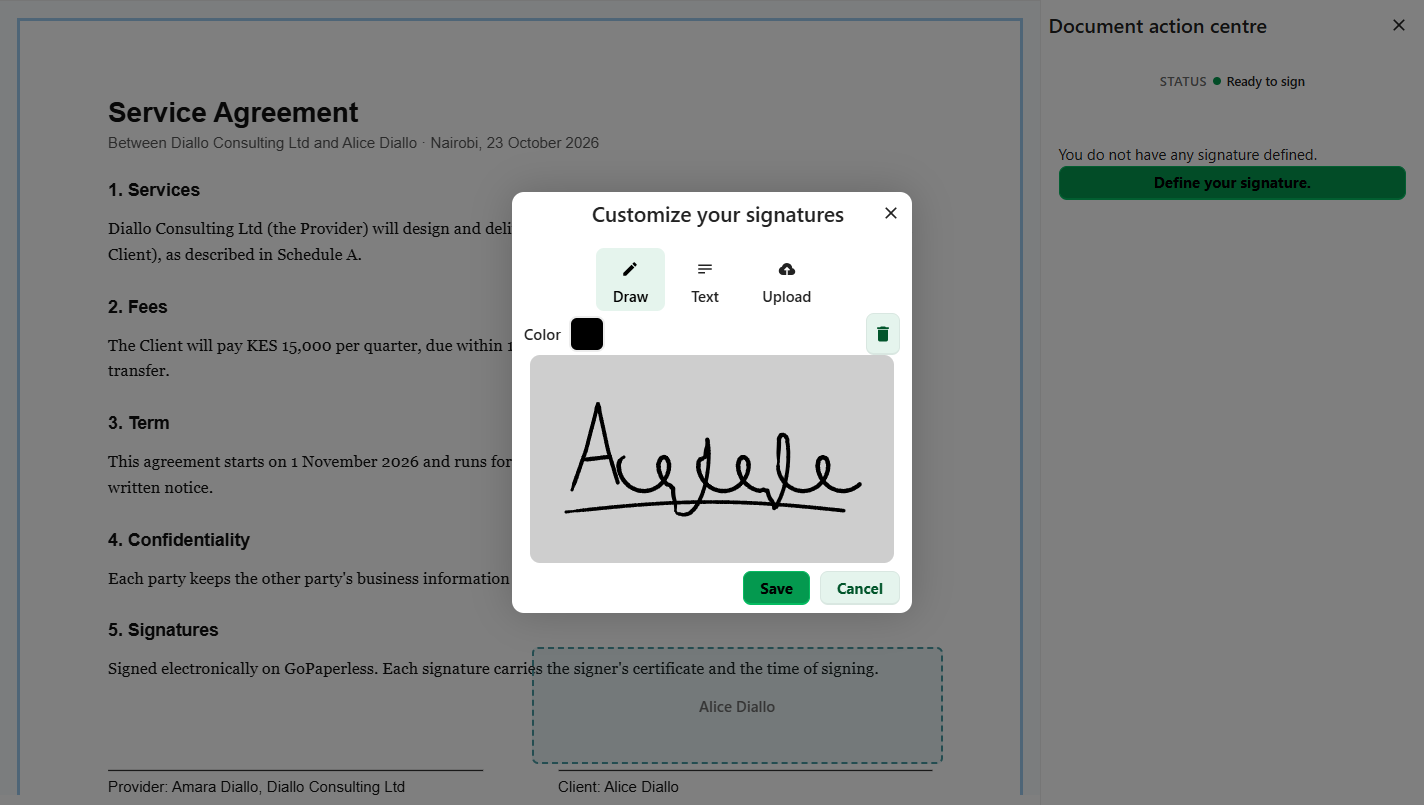
9Add a signatureDraw, type or upload. It appears on every document they sign.
10Certificate issuedValid 365 days. One tap takes them into GoPaperless.
How enrolment works ↗ SecurySign docs
Journey 3 · the senderA · Live now

Send a document for signing

A landlord, an HR team, a sales rep. Upload, add signers, place the box, send.

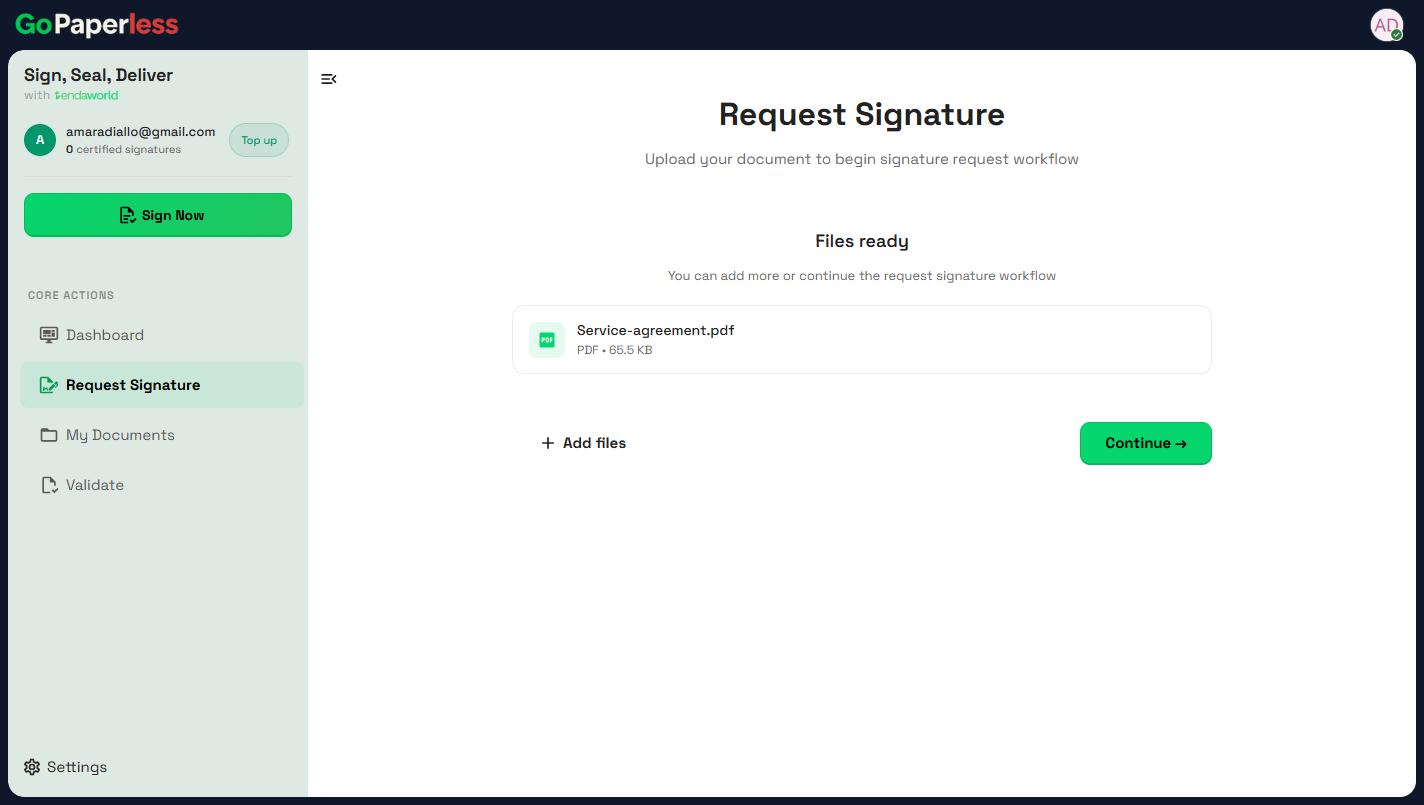
1Upload the PDFRequest Signature, then Upload Document. Up to 25 MB.
2ContinueAdd more files or continue.
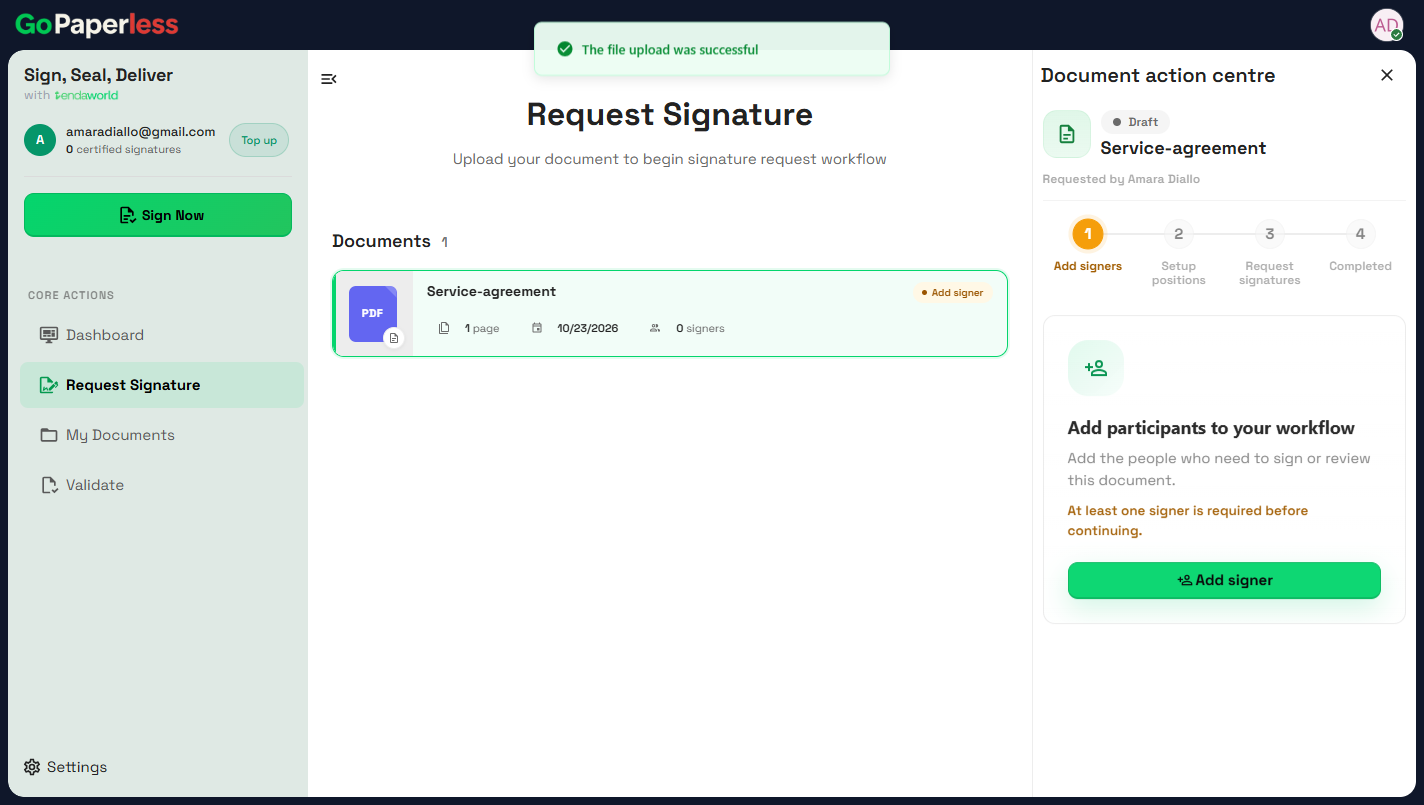
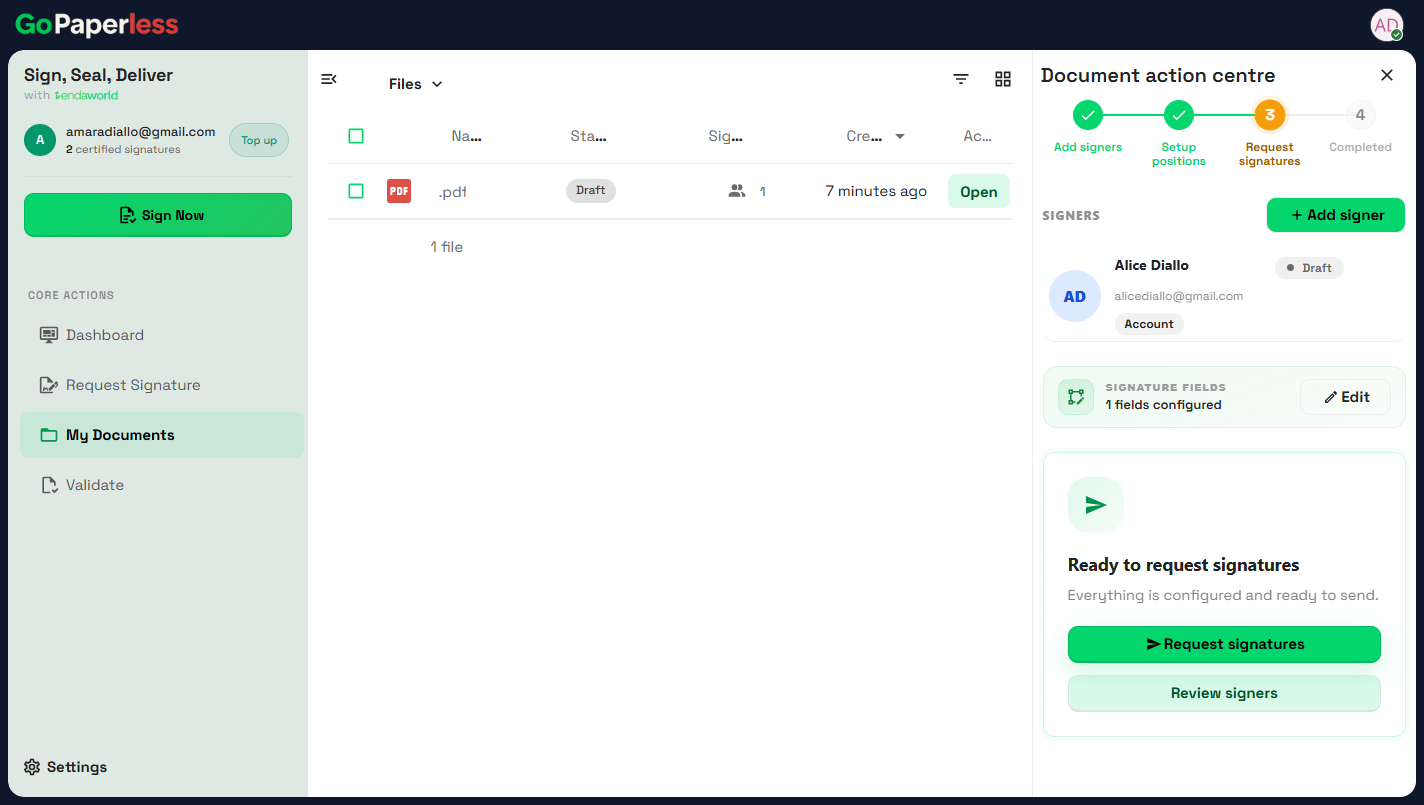
3Add signersThe Document action centre walks through four steps.
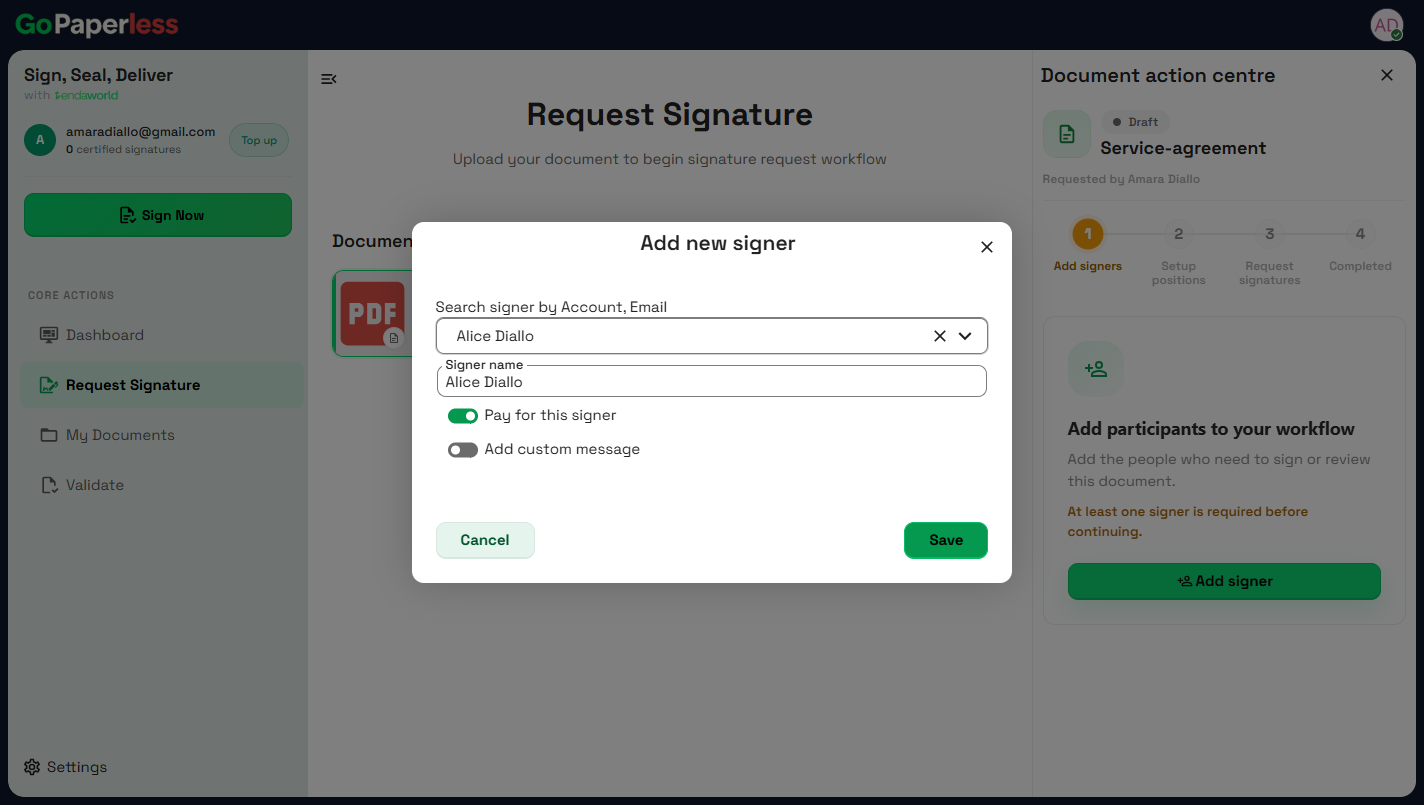
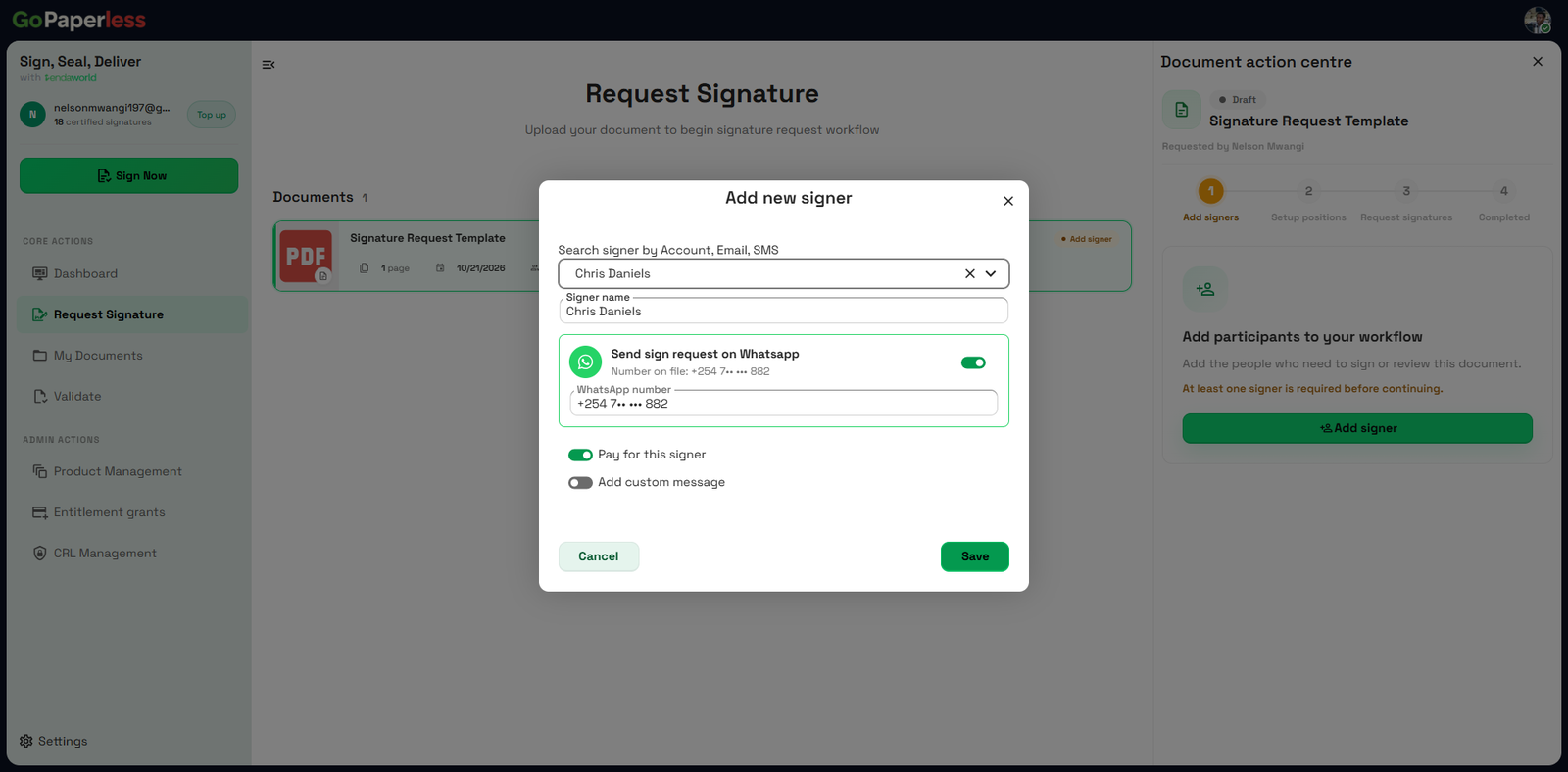
4Choose the signerSearch by account or email. Pay for this signer covers their signature.
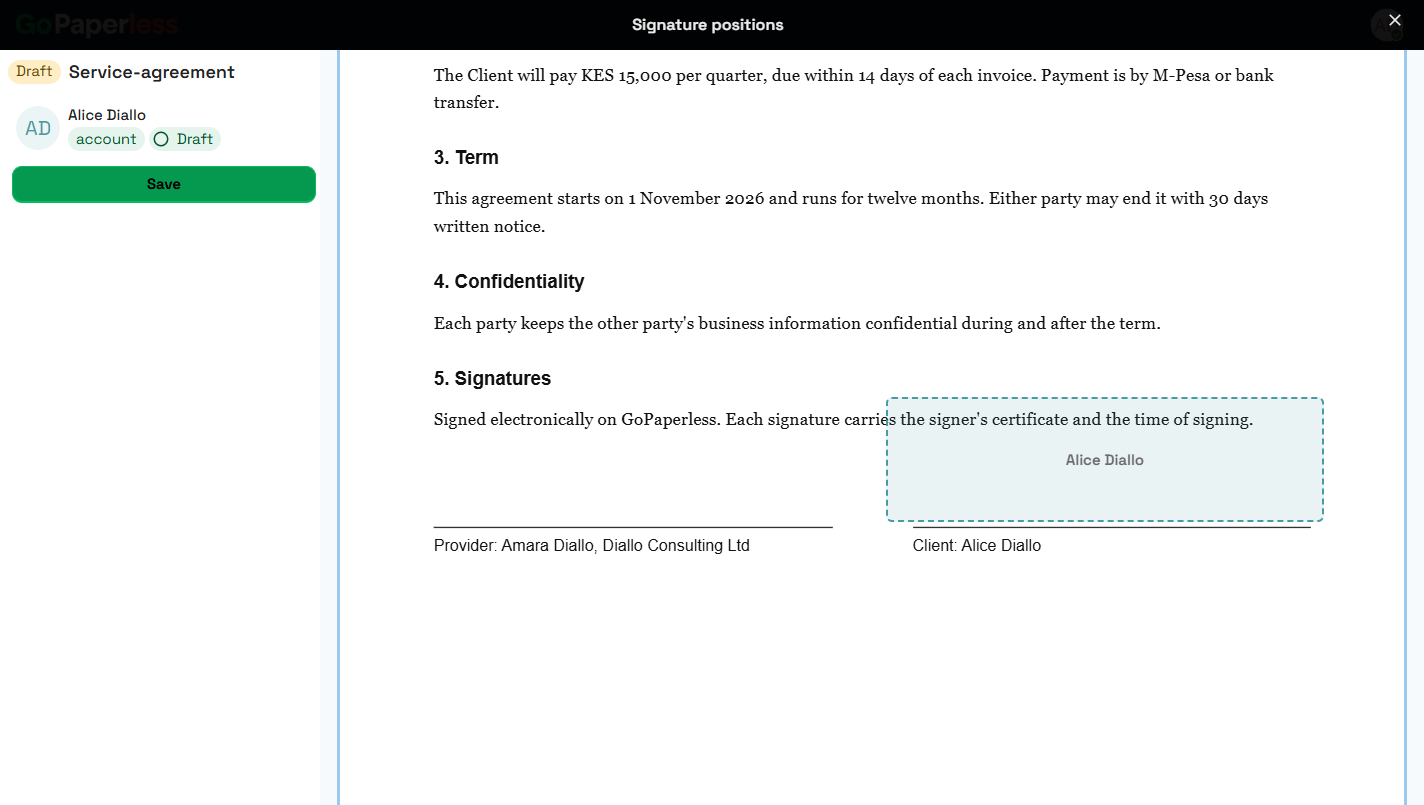
5Place the signature boxDrag the box onto the line where they sign, then Save.
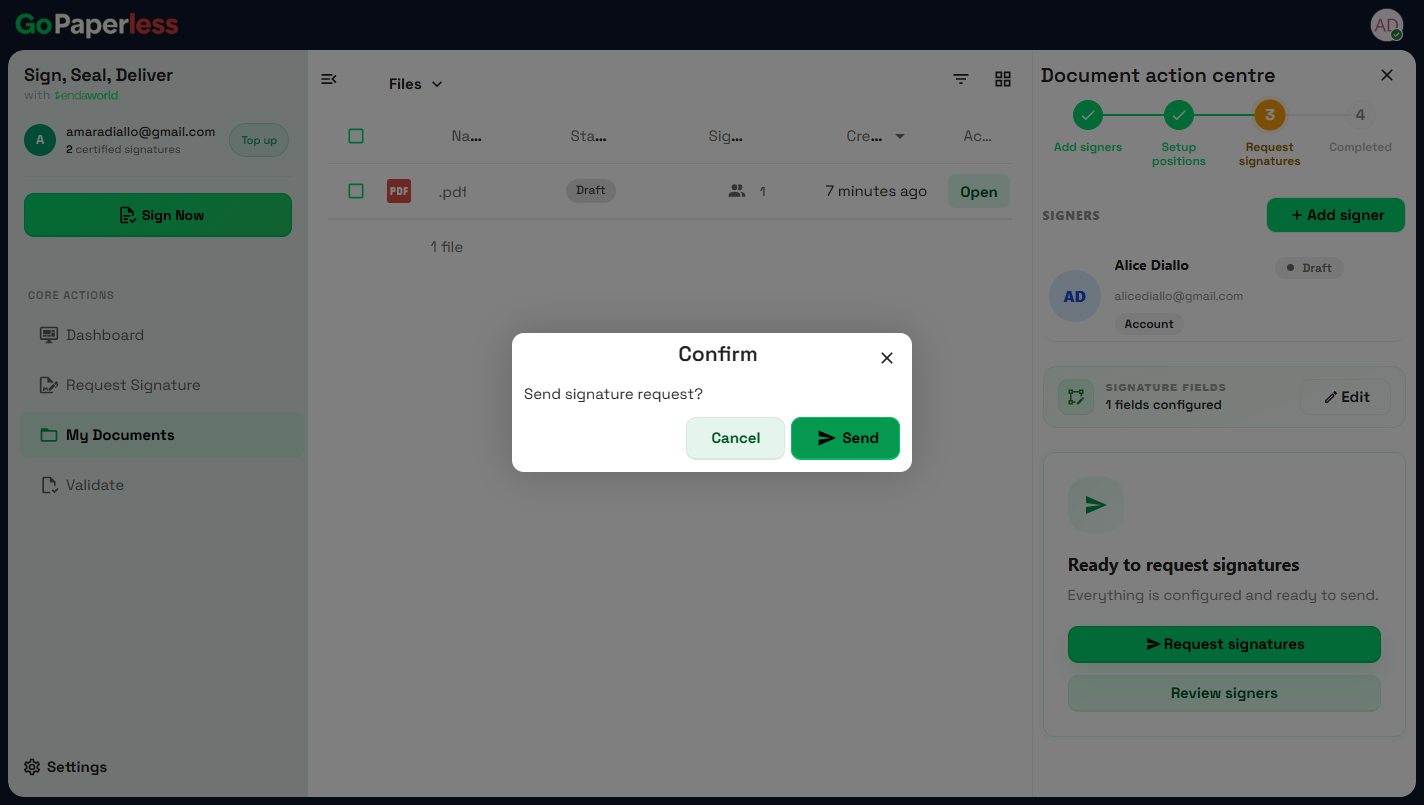
6Request signaturesReady to request signatures.
7SendSend signature request? Send.
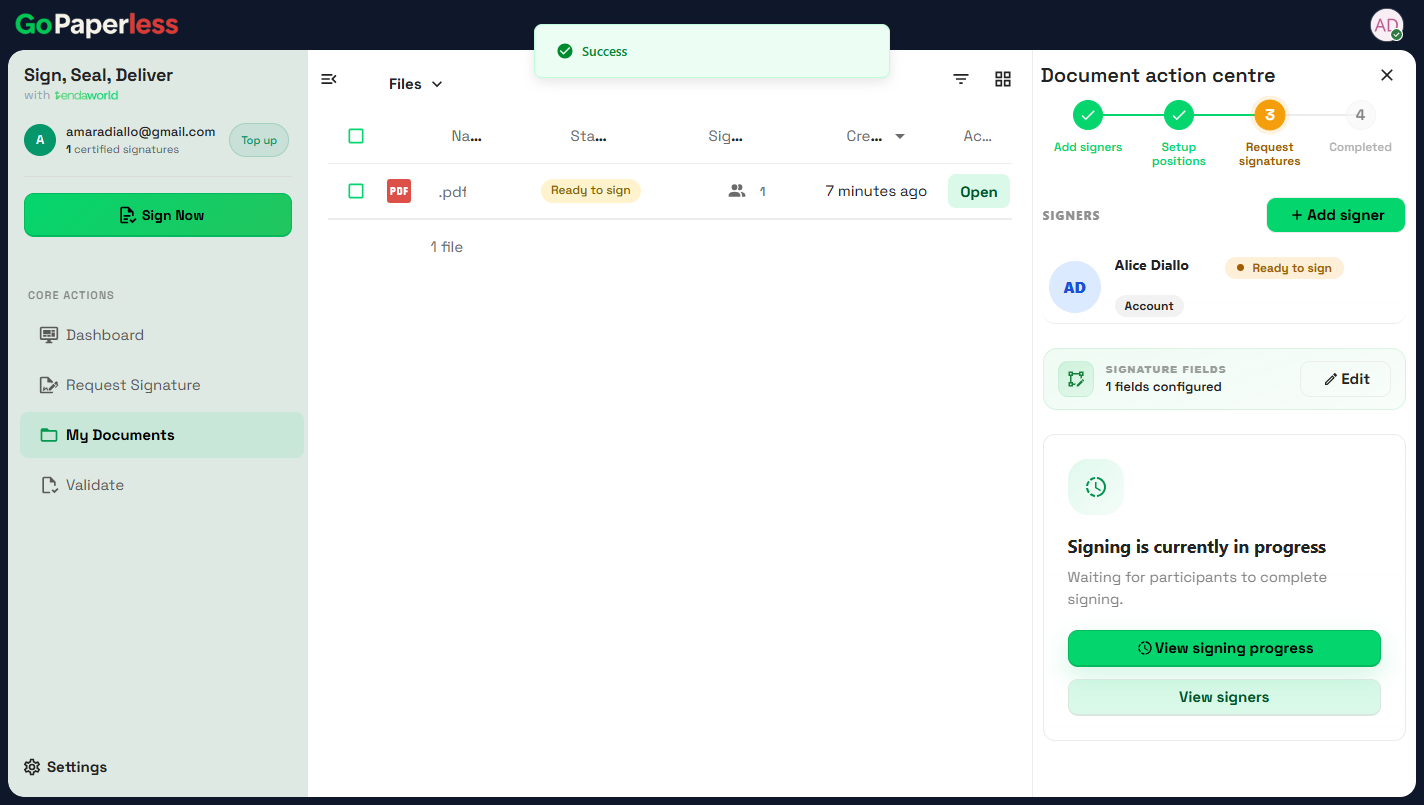
8Waiting for the signerStatus changes to Ready to sign. One credit is reserved.
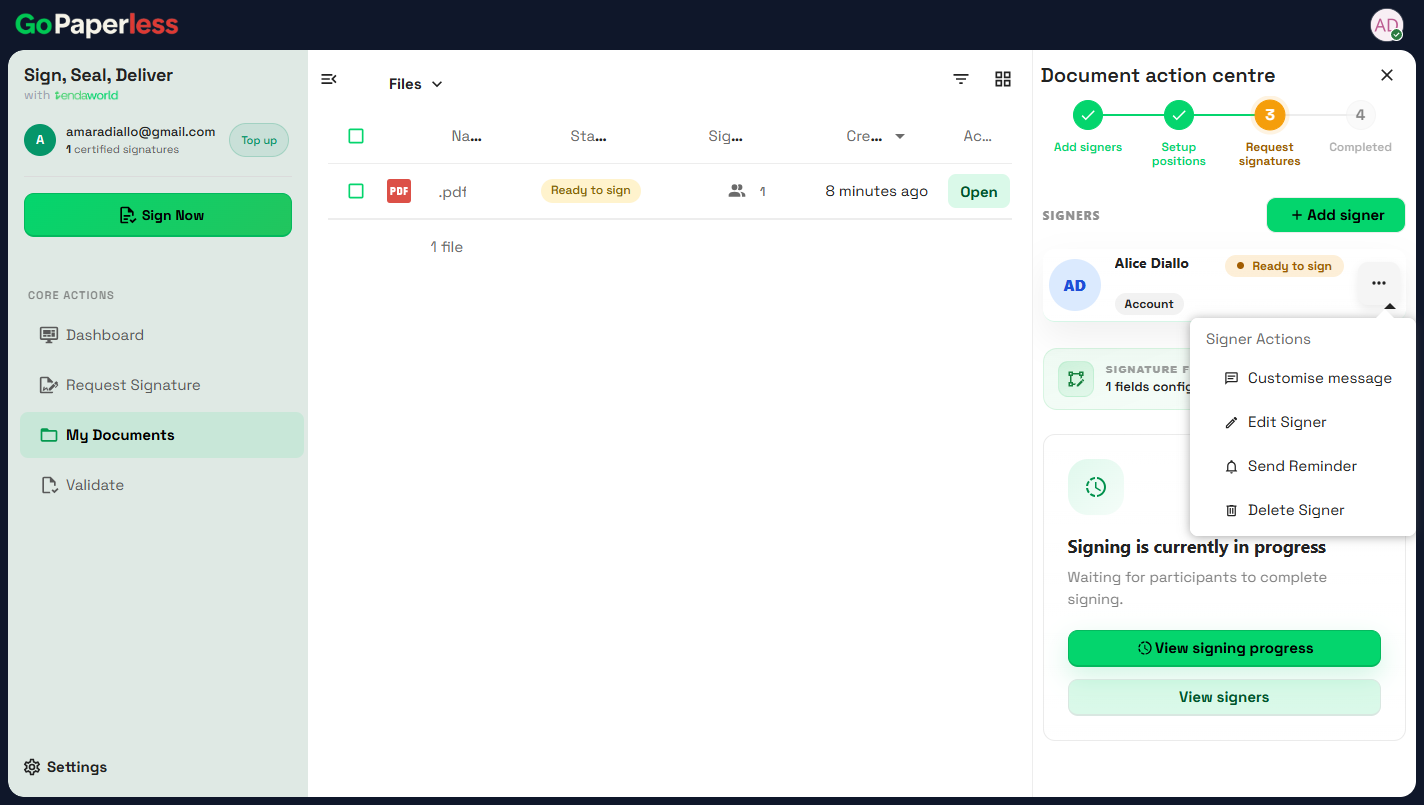
9Follow upSend a reminder, edit or remove a signer while they're pending.

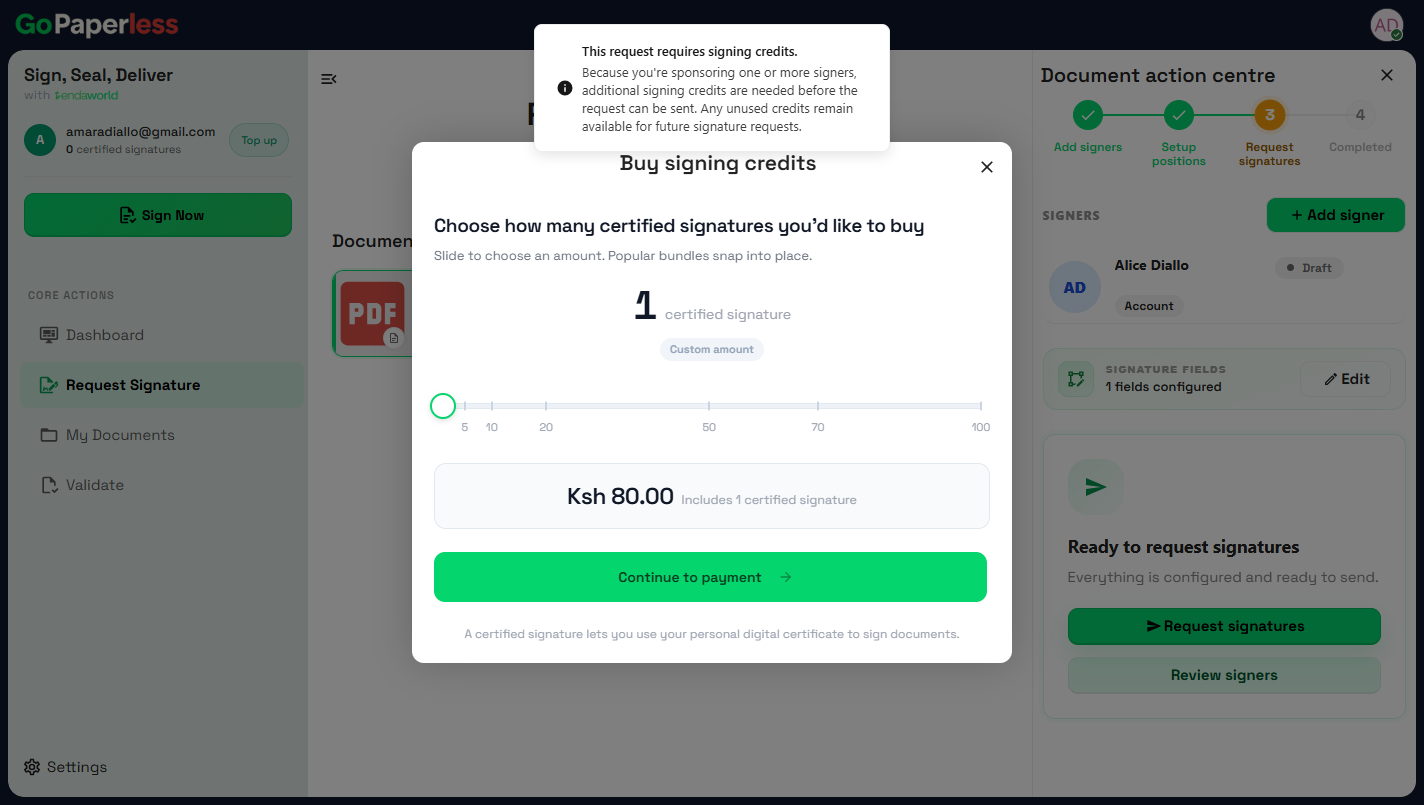
Out of credits?

10Buy signing creditsKES 80 per signature. Bundles of 5 to 100. New accounts start with 2 free.

Coming soonB · Coming soon

11Send on WhatsAppAdd the signer's WhatsApp number instead of an email.
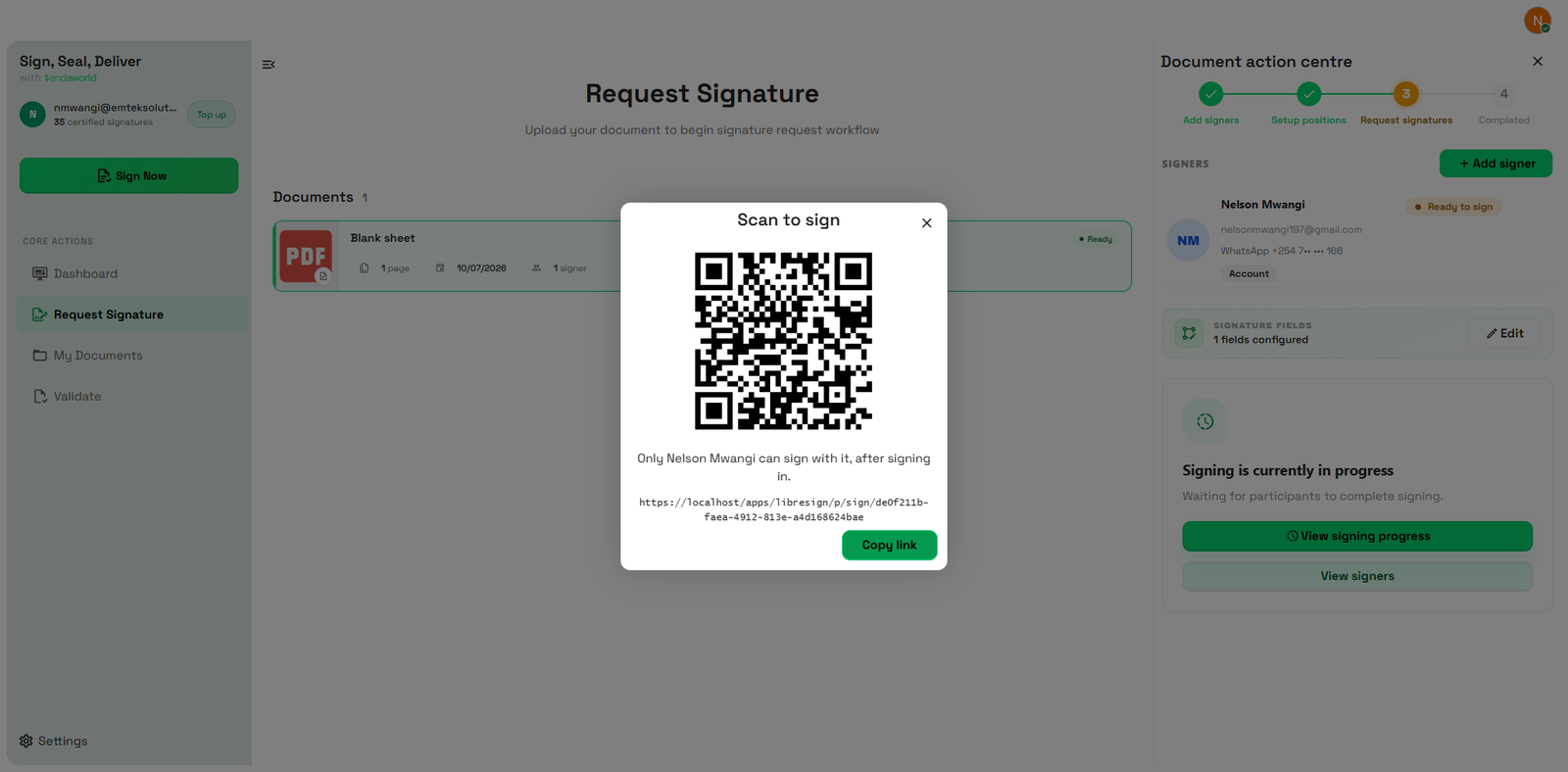
12Sign in personShow a QR. Only that signer can use it.
Journey 4 · the signerA · Live now

Sign a document

The customer, tenant or employee. The email link, a Google login, then two taps.

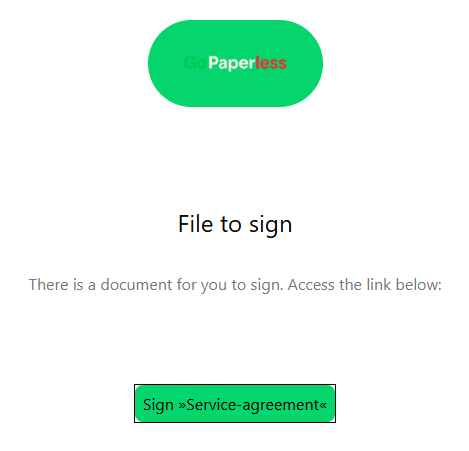
1The emailThere is a document for you to sign. One button.
2Log inWith Google, like every GoPaperless login.
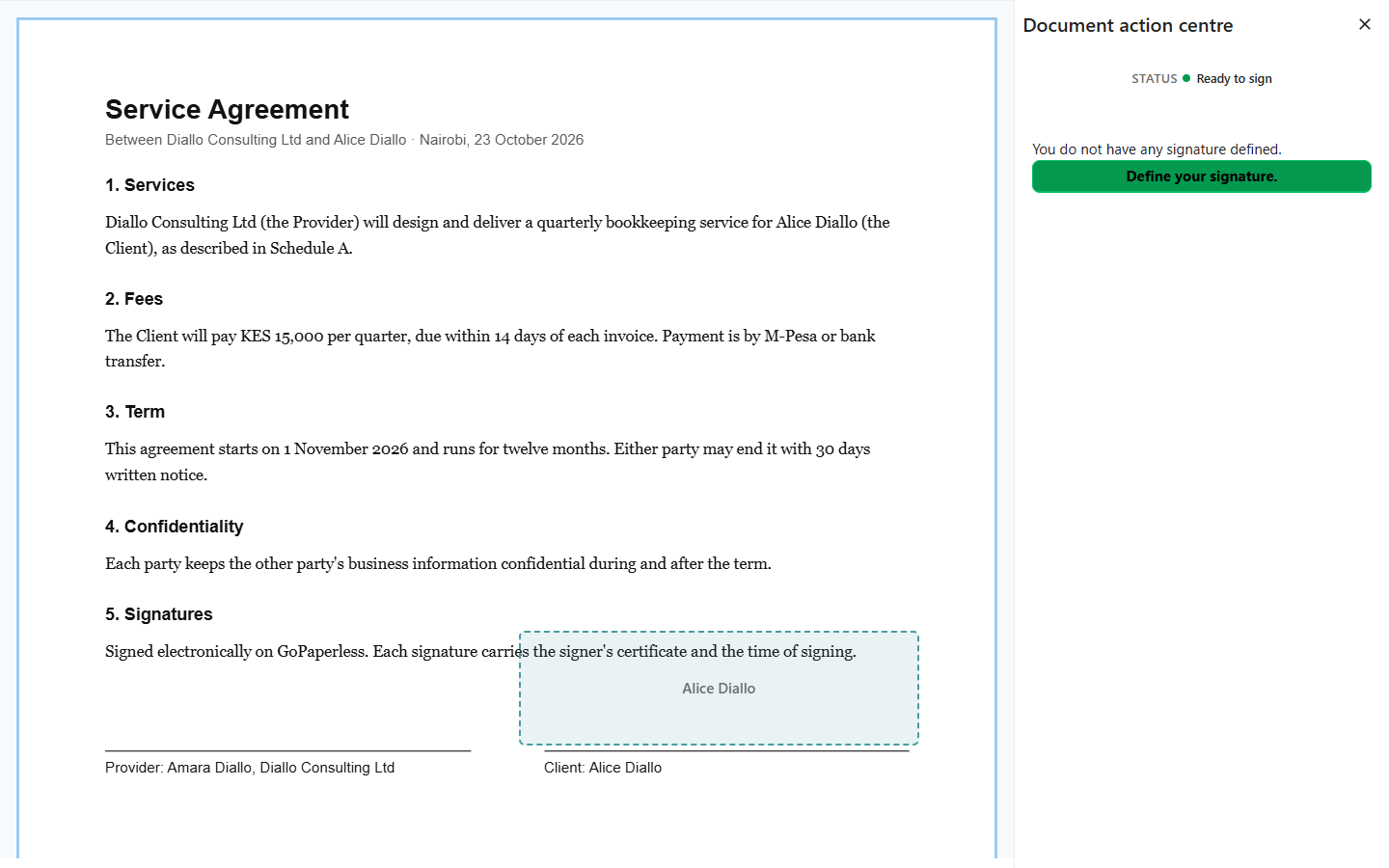
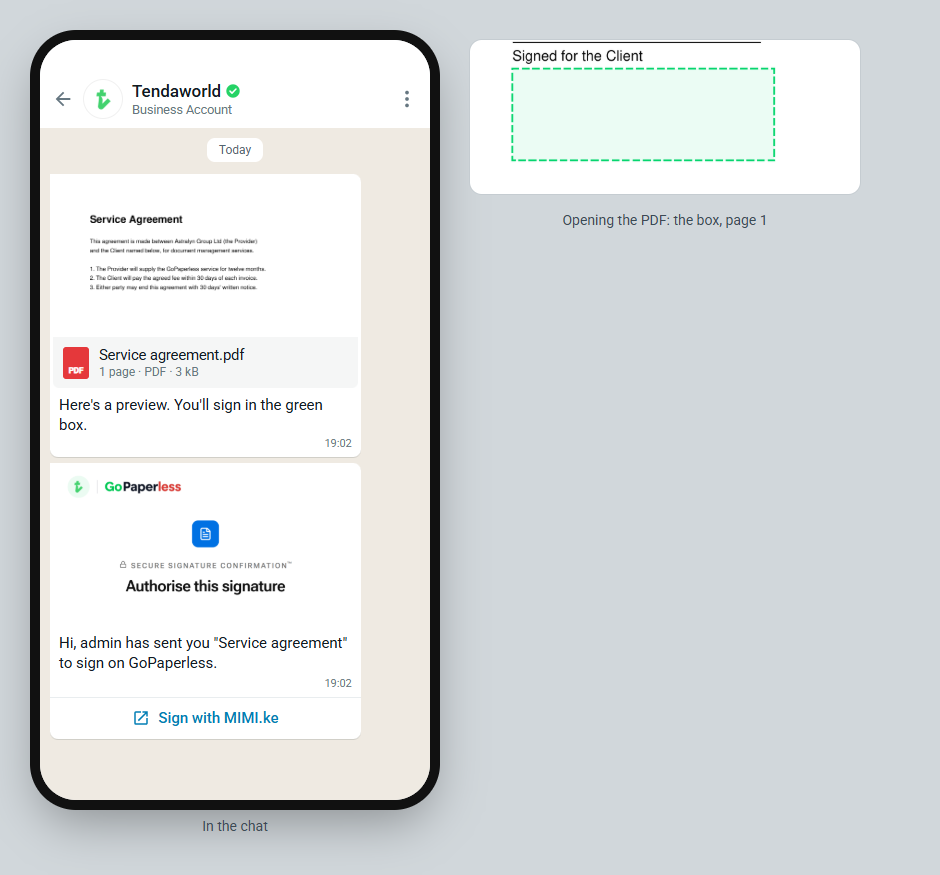
3The document opensTheir signature box is marked on the page.
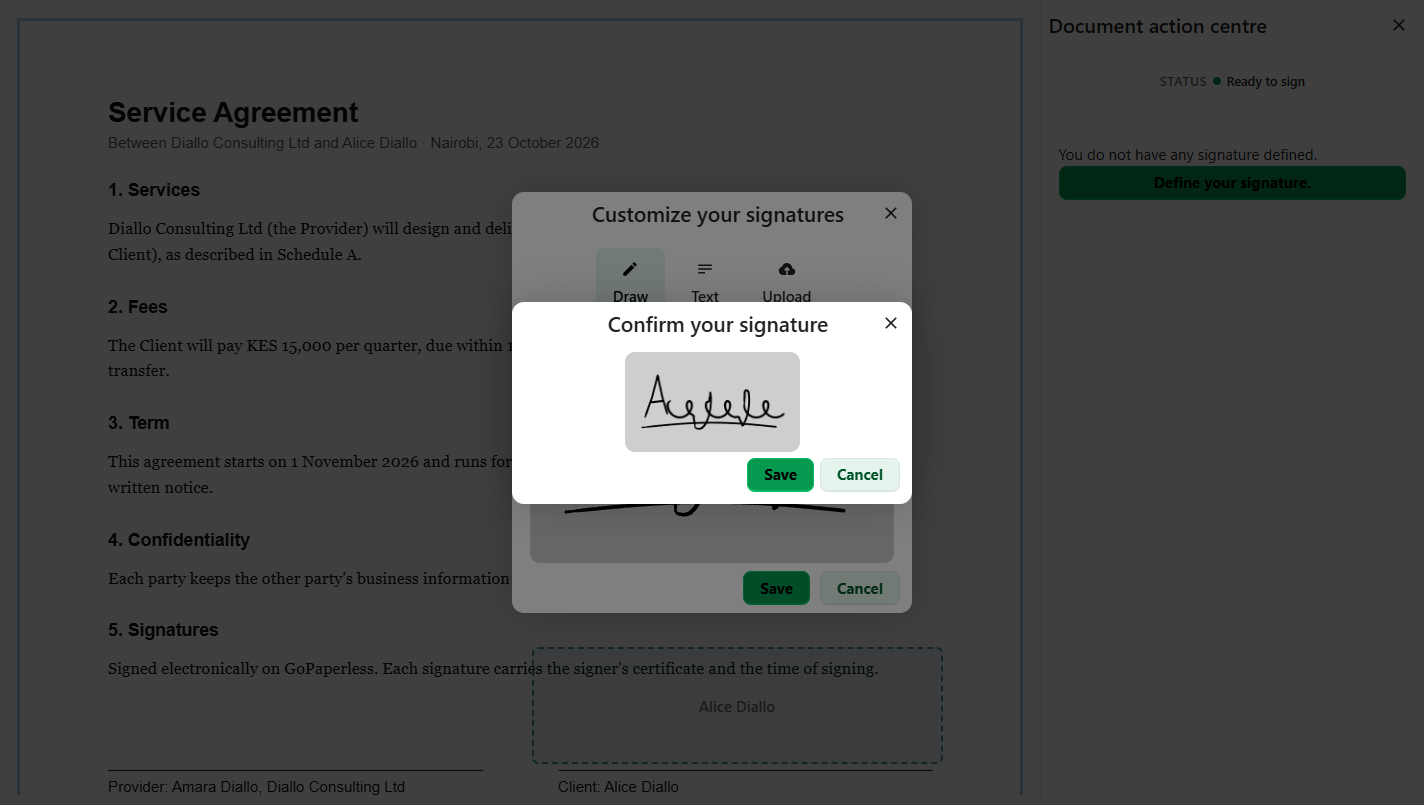
4Draw a signatureFirst time only. Draw, type or upload.
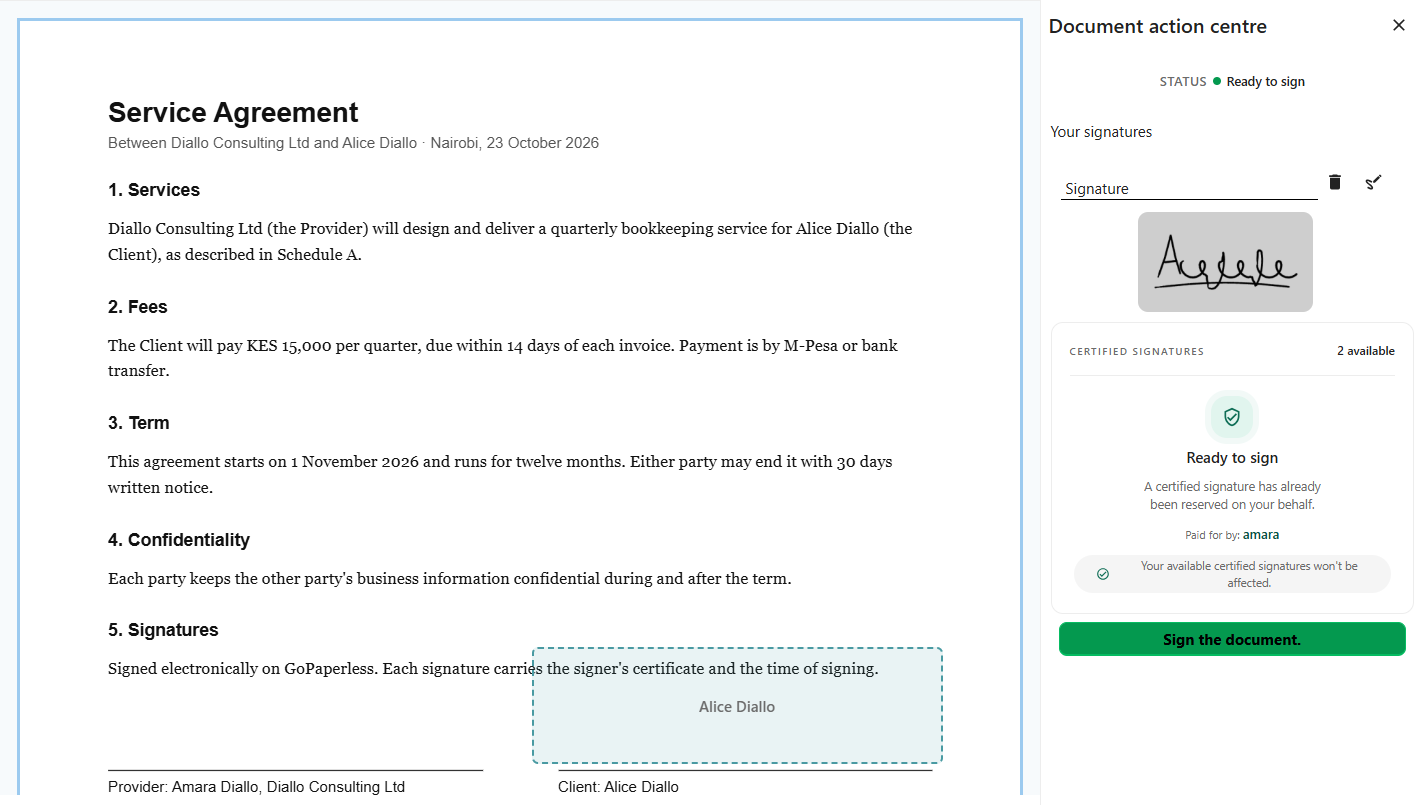
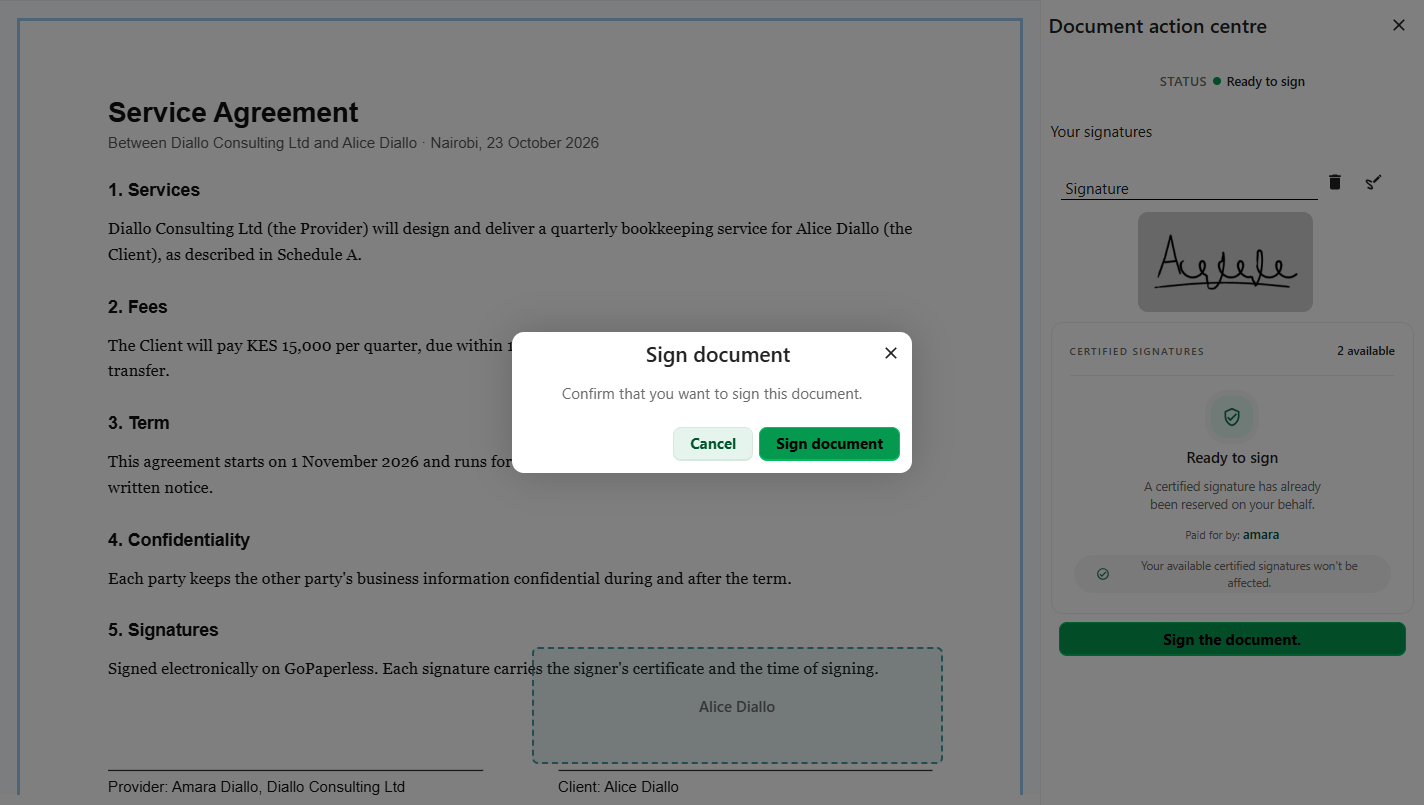
5Sign the documentThe sender already paid, so nothing to pay here.
6ConfirmSign document.
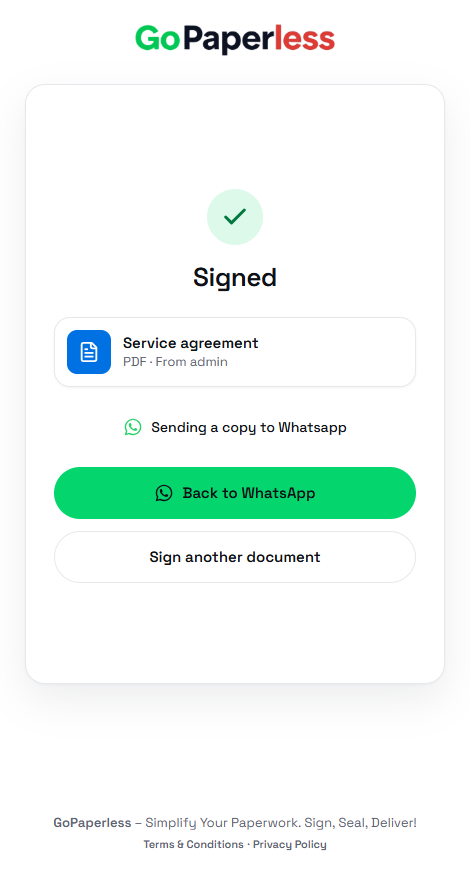
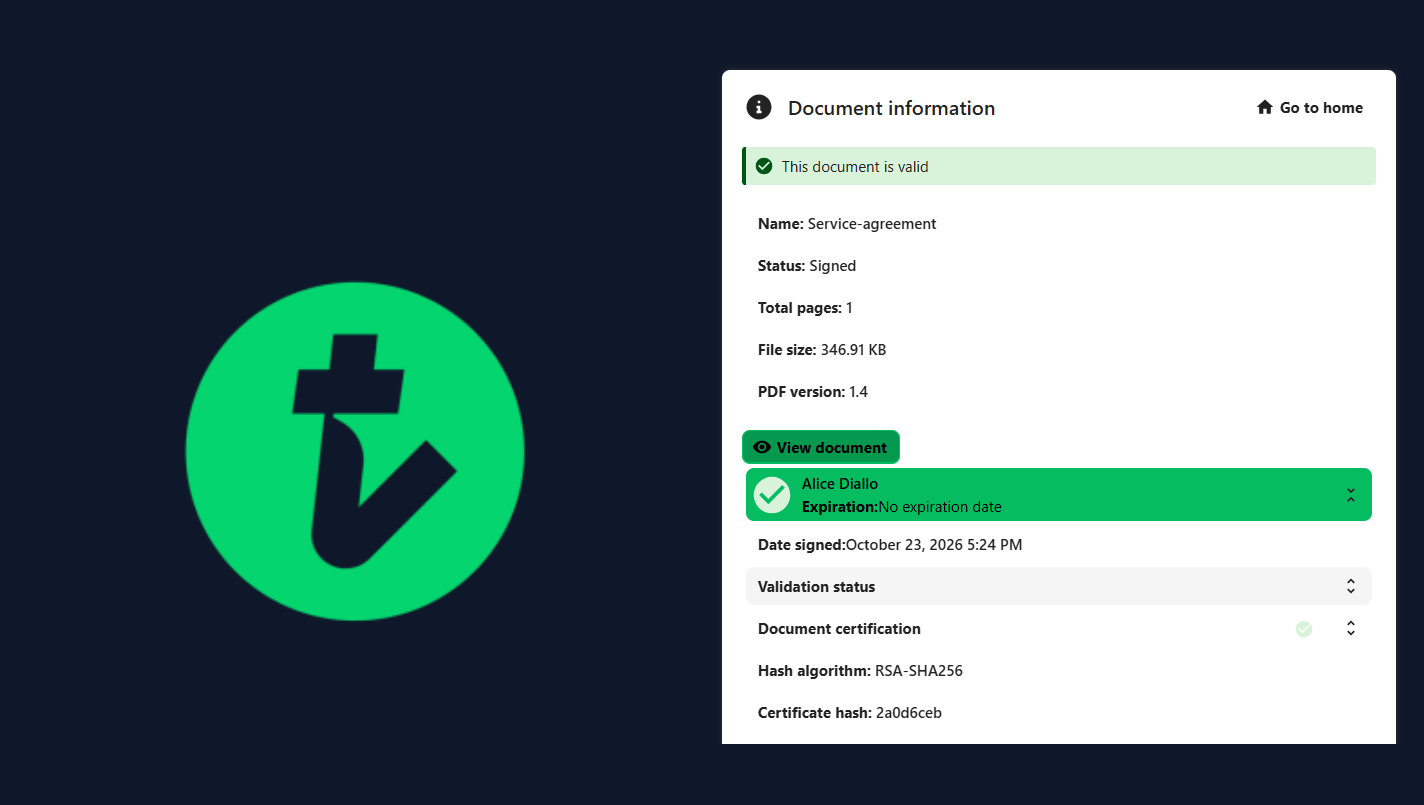
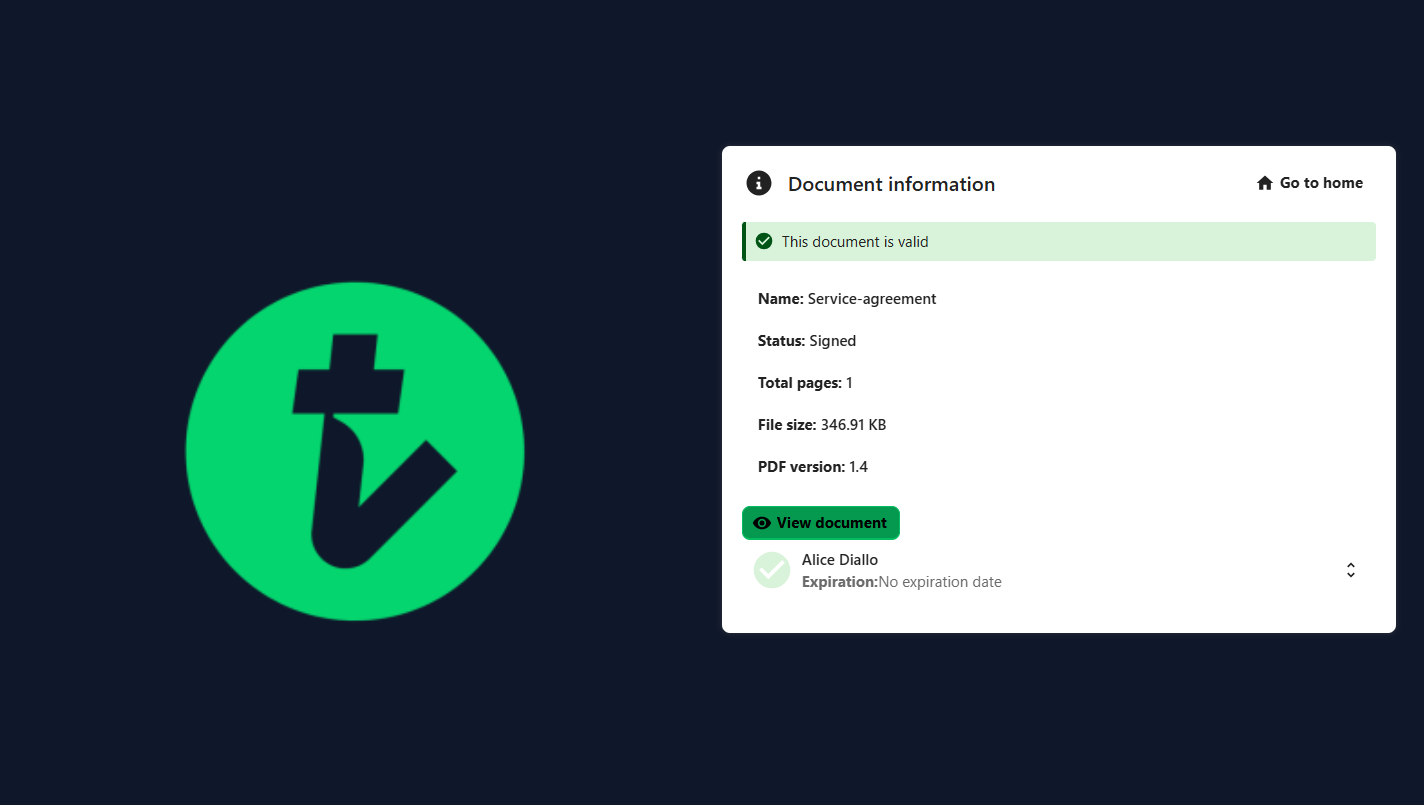
7SignedThis document is valid.

Coming soon: signing on WhatsAppB · Coming soon

8The WhatsApp messageA preview of the PDF and a Sign with MIMI.ke button.
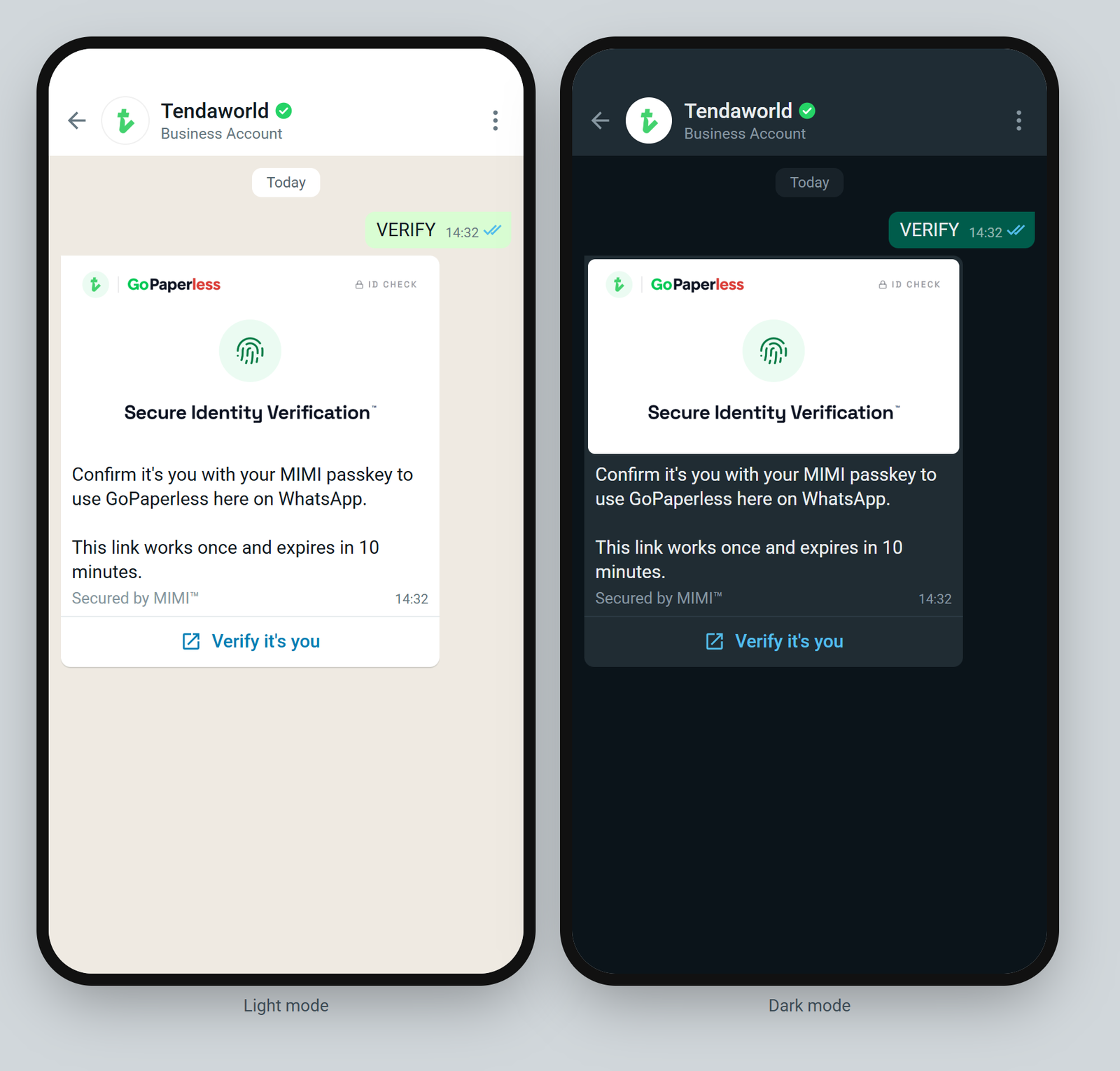
9Confirm it's themFirst time only, with their MIMI passkey.
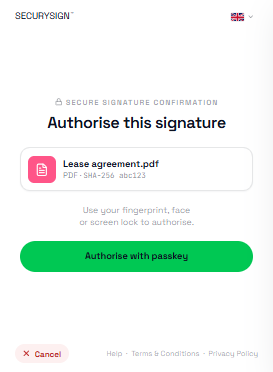
10Approve with fingerprint or faceThe SecurySign window signs with their own certificate.
11SignedA copy goes back to the WhatsApp chat.
How a passkey approves a signature ↗ SecurySign docs
Journey 5A · Live now

Find your documents

Everything sent or signed stays in the account.

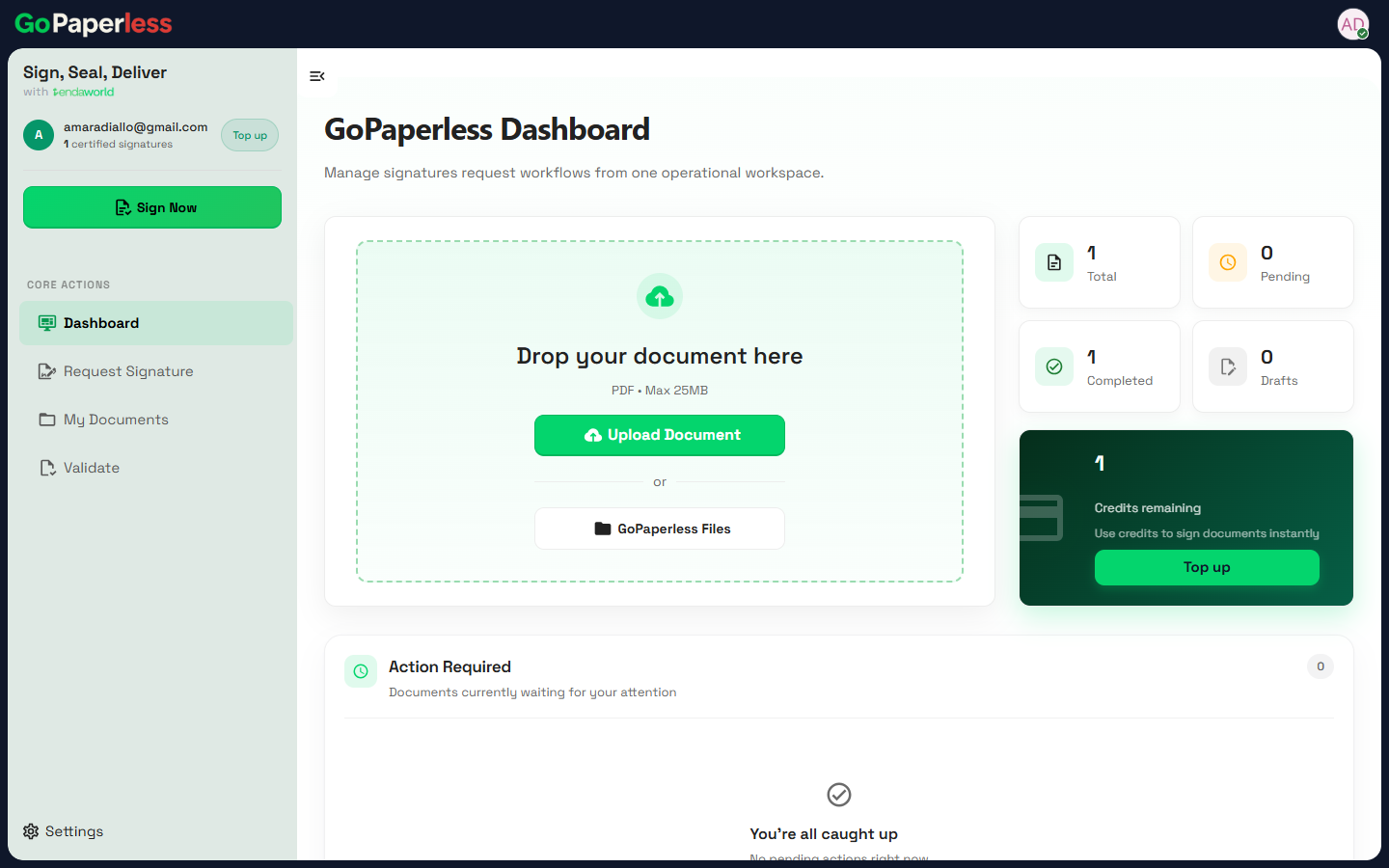
1DashboardTotals, pending, completed, and credits left.
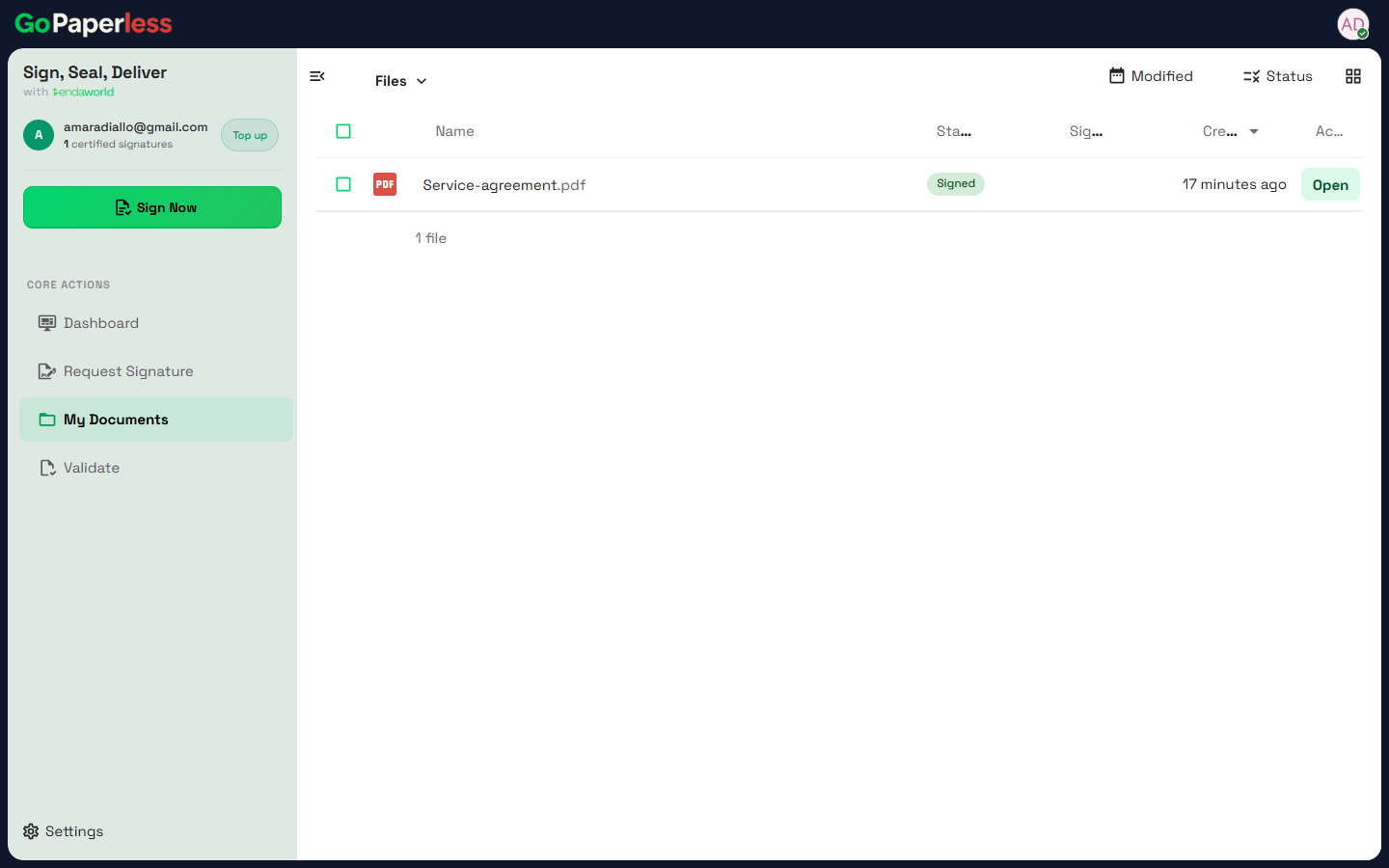
2My DocumentsEvery file with its status: Draft, Ready to sign, Signed.
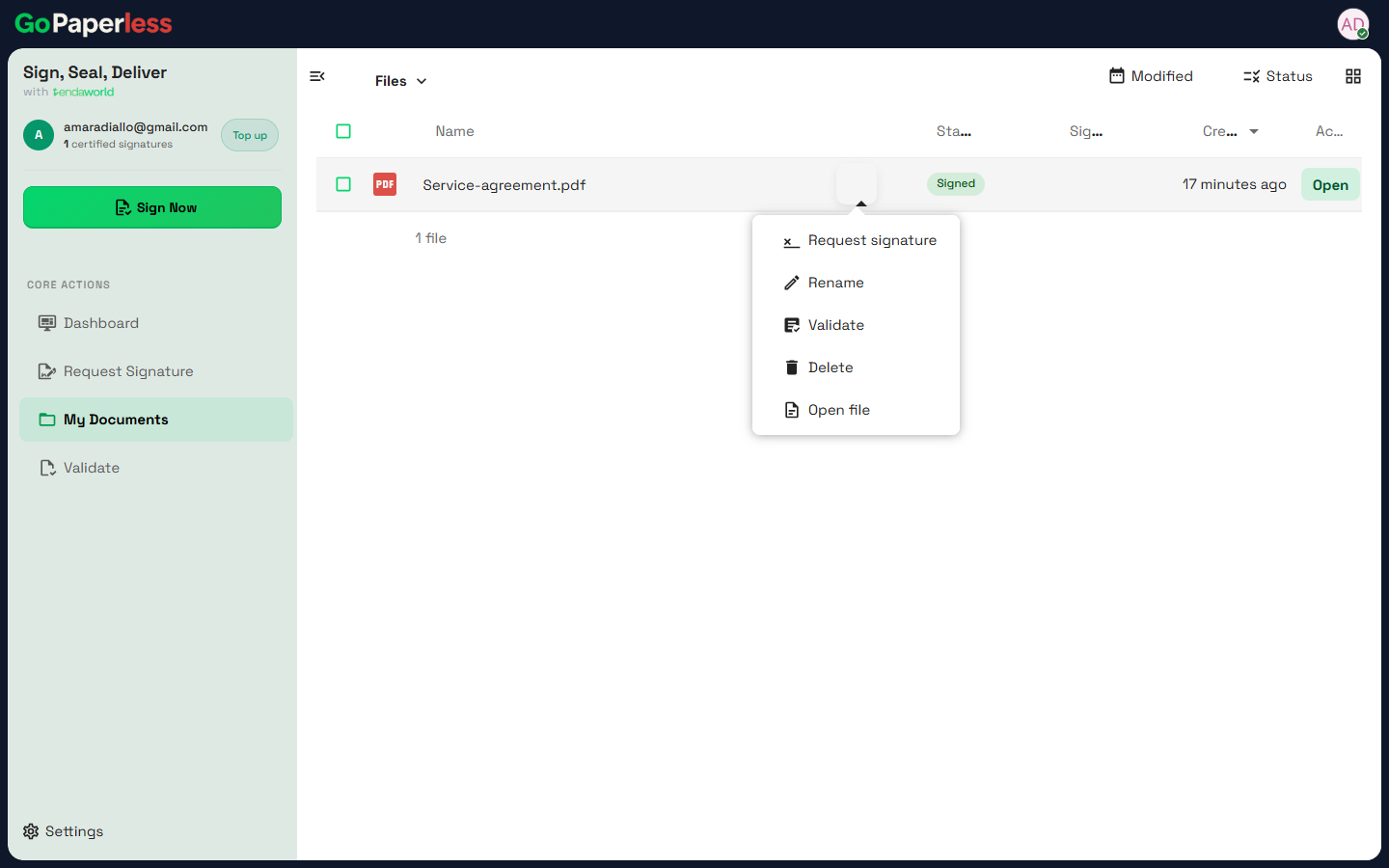
3Open, validate or renameThe actions menu on each document.
Journey 6A · Live now

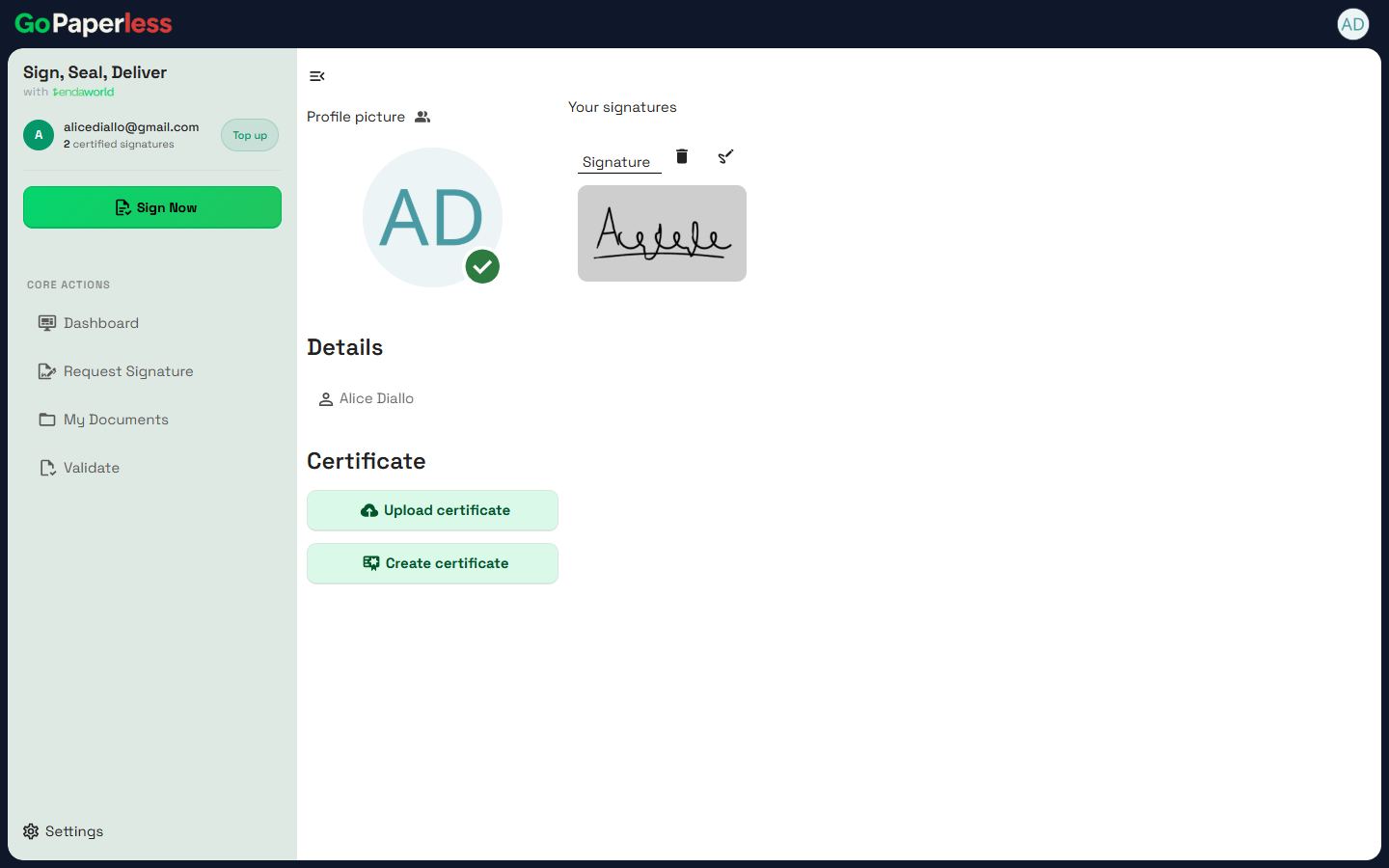
Your signature

Saved once, reused on every document.

1Check it before savingShown once, right after drawing.
2Change it any timeAccount, Your signatures: edit or delete.
Journey 7A · Live now

Verify a signed document

Anyone can check a GoPaperless PDF, with or without an account.

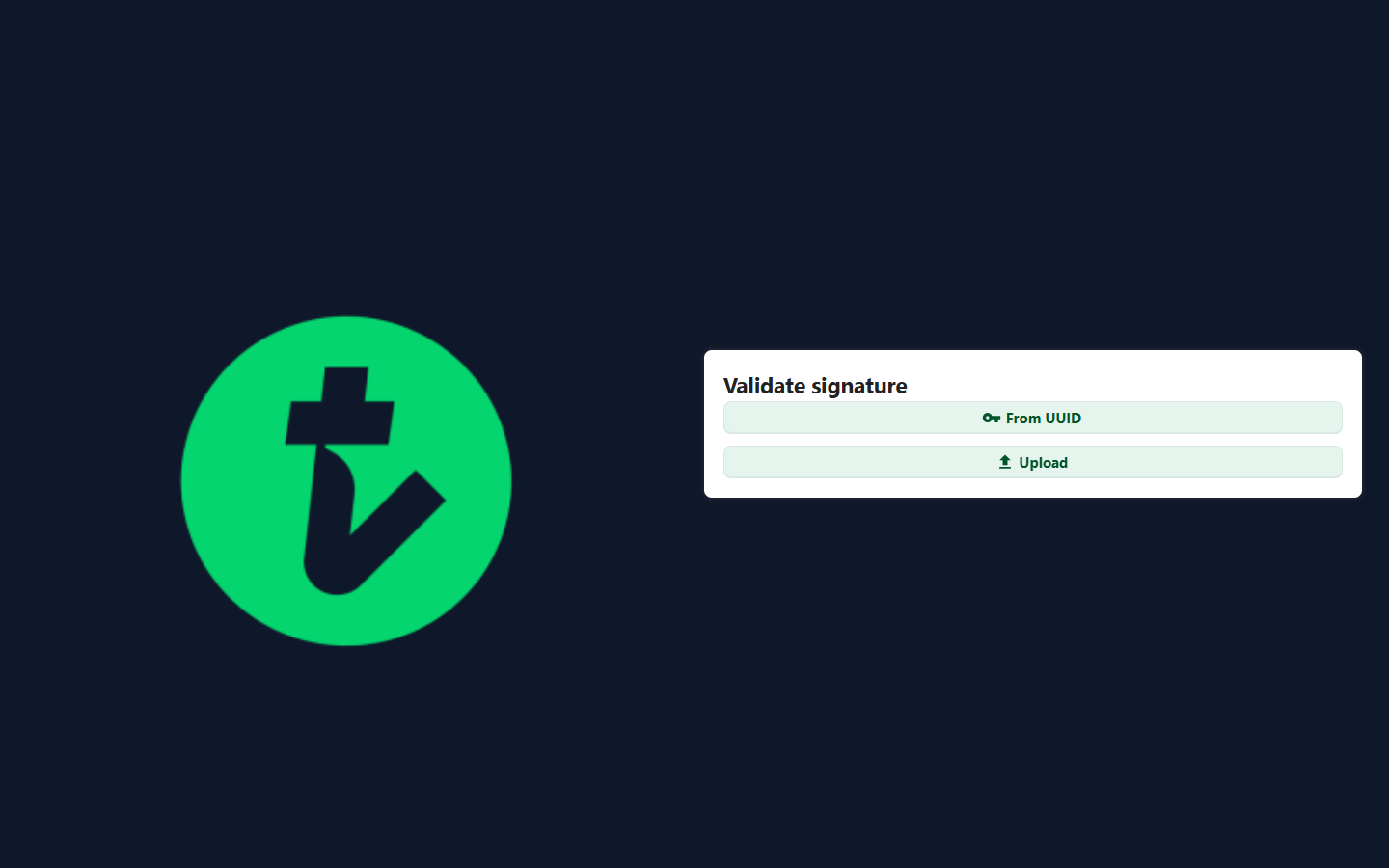
1Open ValidateUpload the PDF or enter its ID.
2The answerThis document is valid, and its status.
3Who signed and whenSigner, date, and the certificate behind it.
How verification works ↗ SecurySign docs
KES 300a year, the personal digital certificate
KES 80per signature
2 freesignatures on every new account
MIMIMIMIB · Coming soon

My Integrated Mobile Identity

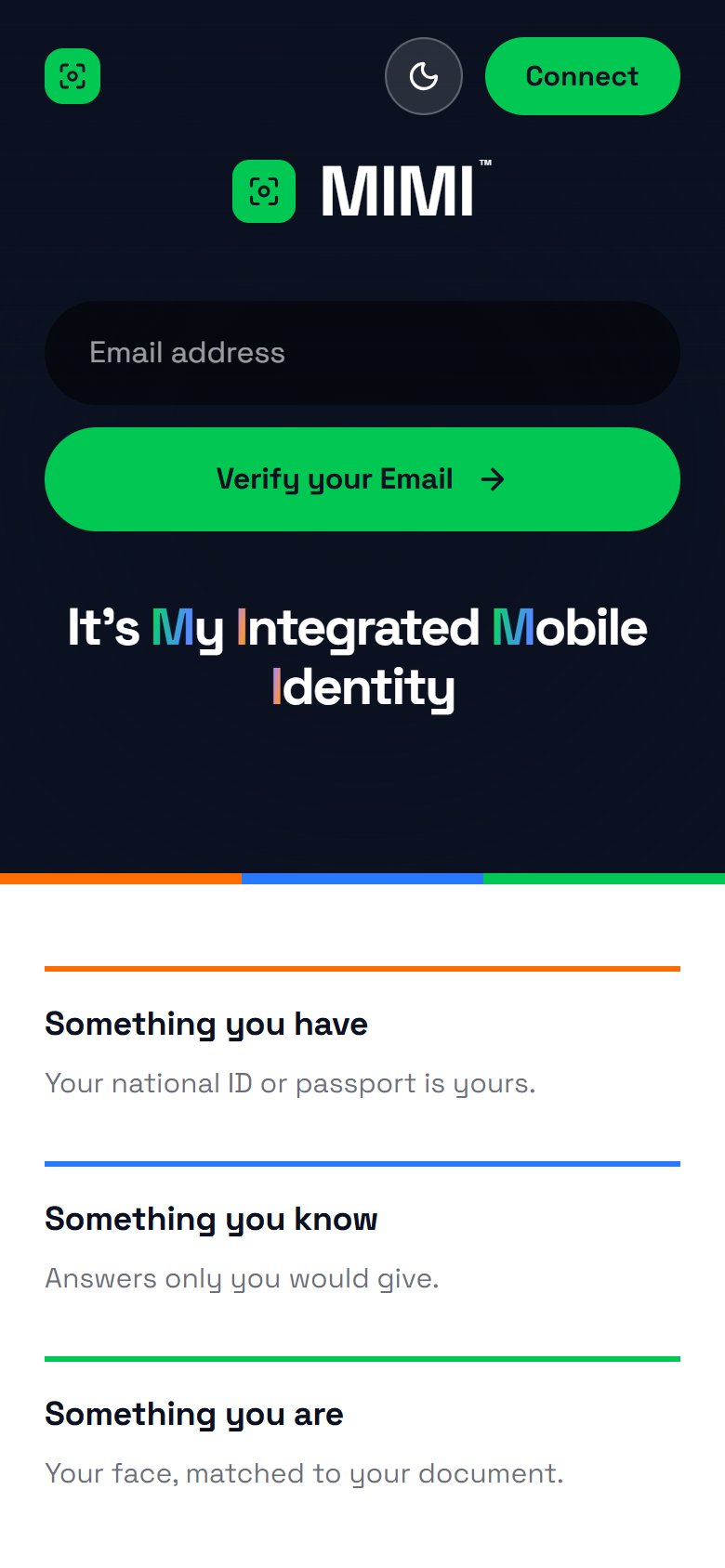
Proof of a person, made portable. Three proofs to join, any one to come back.

What I haveMy ID or passportScanned and checked against the register
What I knowThree questionsAnswers only I would give
What I amMy faceMatched to the photo on my ID

Not final. The MIMI logo and brand assets are still being decided. Some MIMI screens still show test names.

Journey 1 · registrationB · Coming soon

Get a certificate through MIMI

Everything in one place on a phone: pay, ID, face, three questions, passkey and signature.

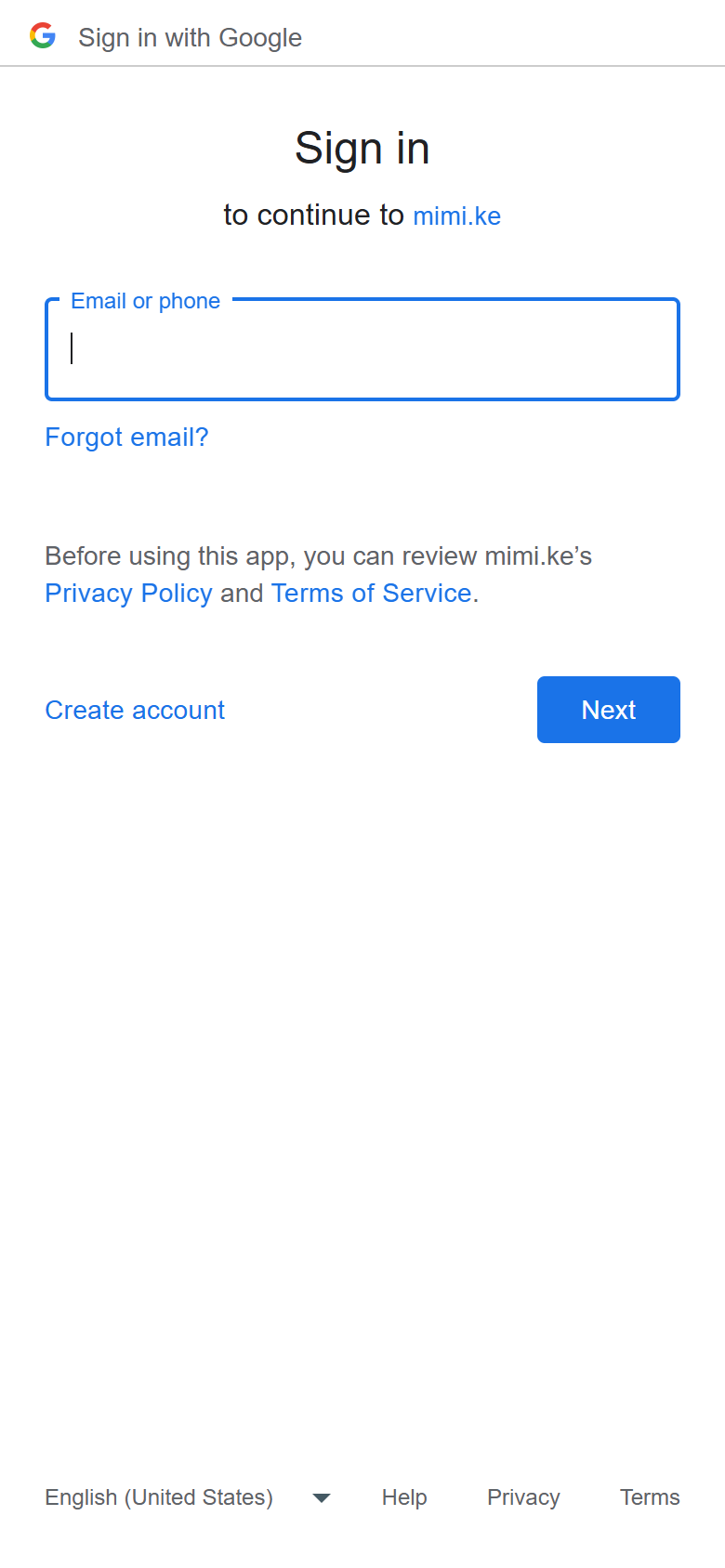
1Start at mimi.keEnter an email or tap Connect to use Google.
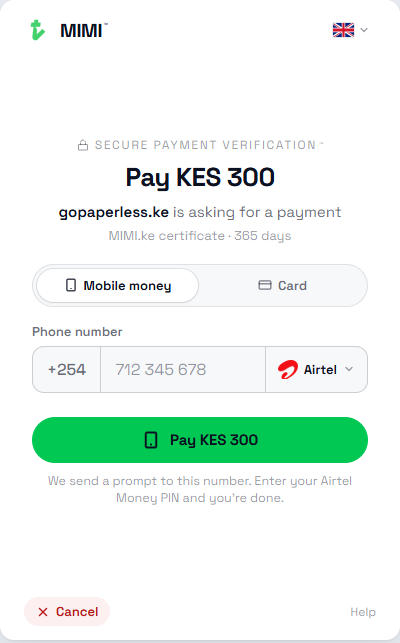
2Pay KES 300M-Pesa or Airtel Money.
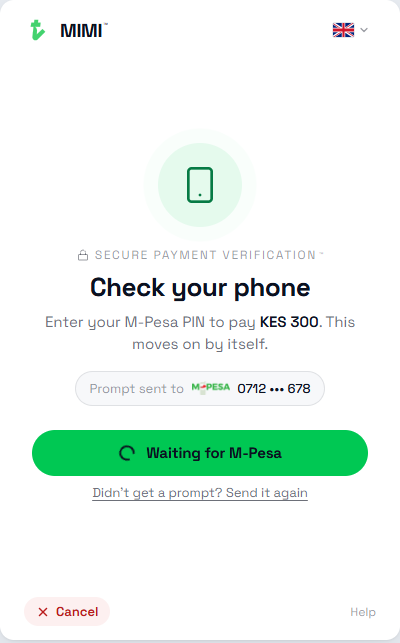
3Approve on the phoneEnter the PIN. The screen moves on by itself.
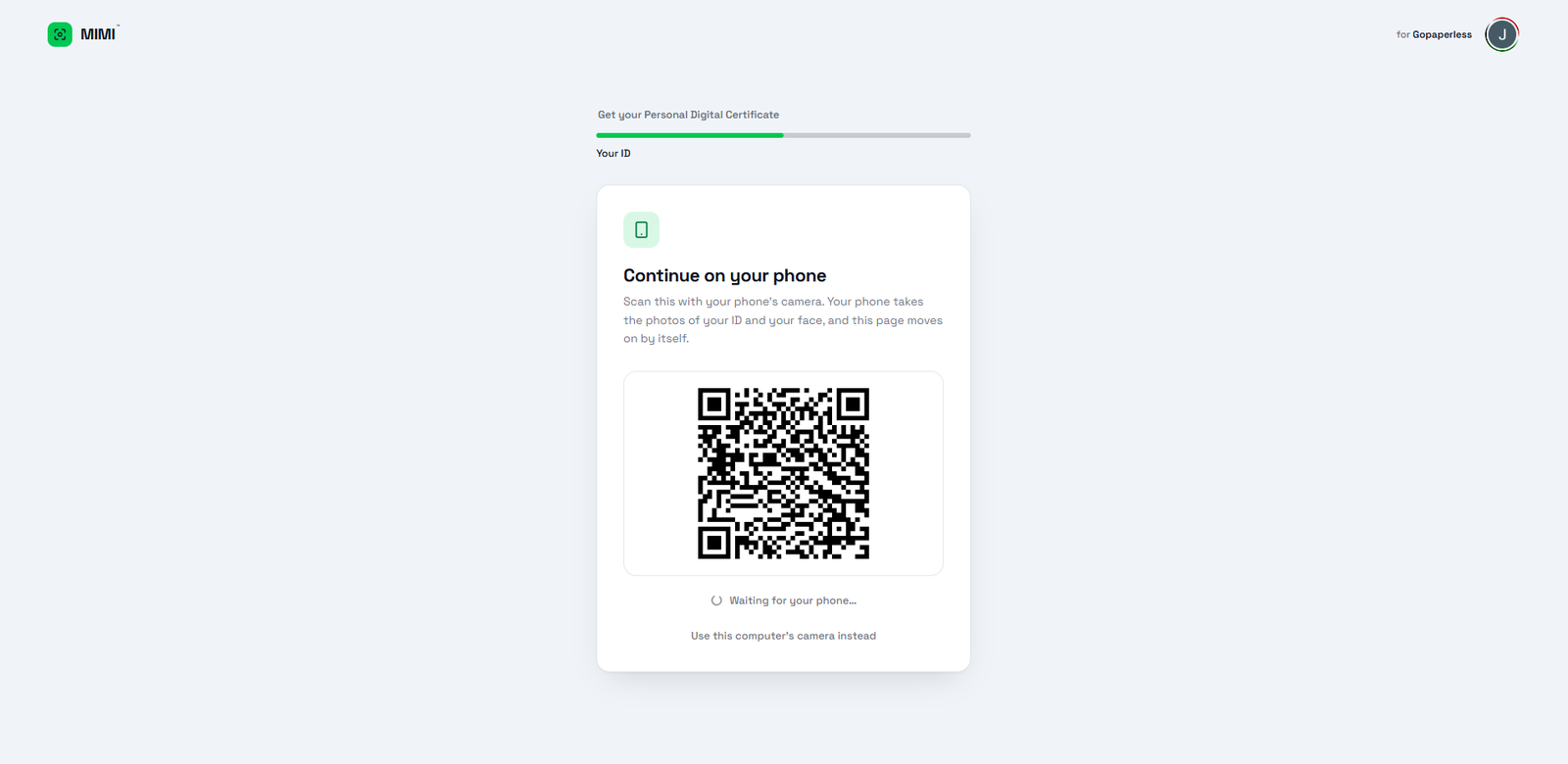
4On a laptop? Use the phoneScan the QR. ID and face need the camera.
Screen comingMIMI ID scan
5Scan the IDNational ID or passport photo page.
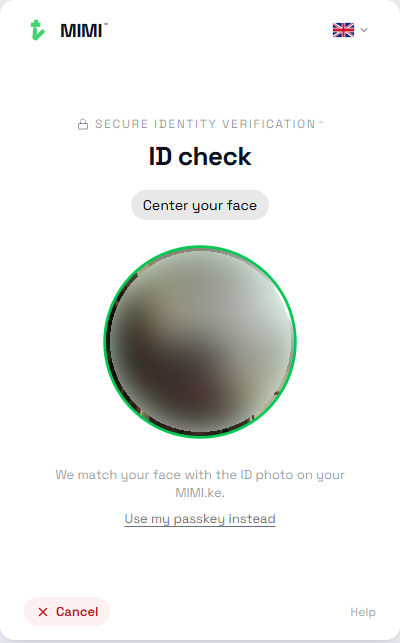
6Face checkMatched to the ID photo.
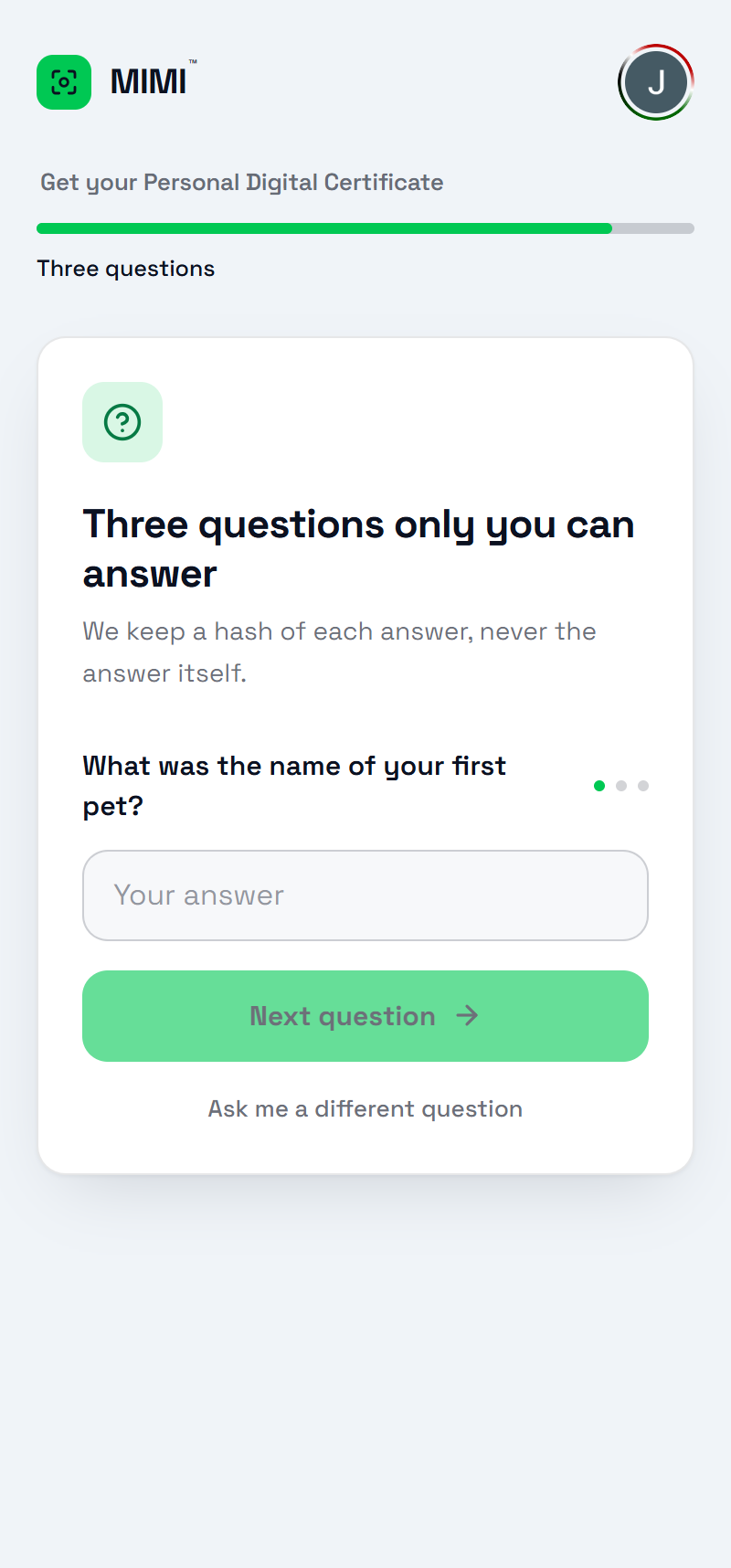
7Three questionsAnswers only they know. MIMI keeps a scrambled copy.
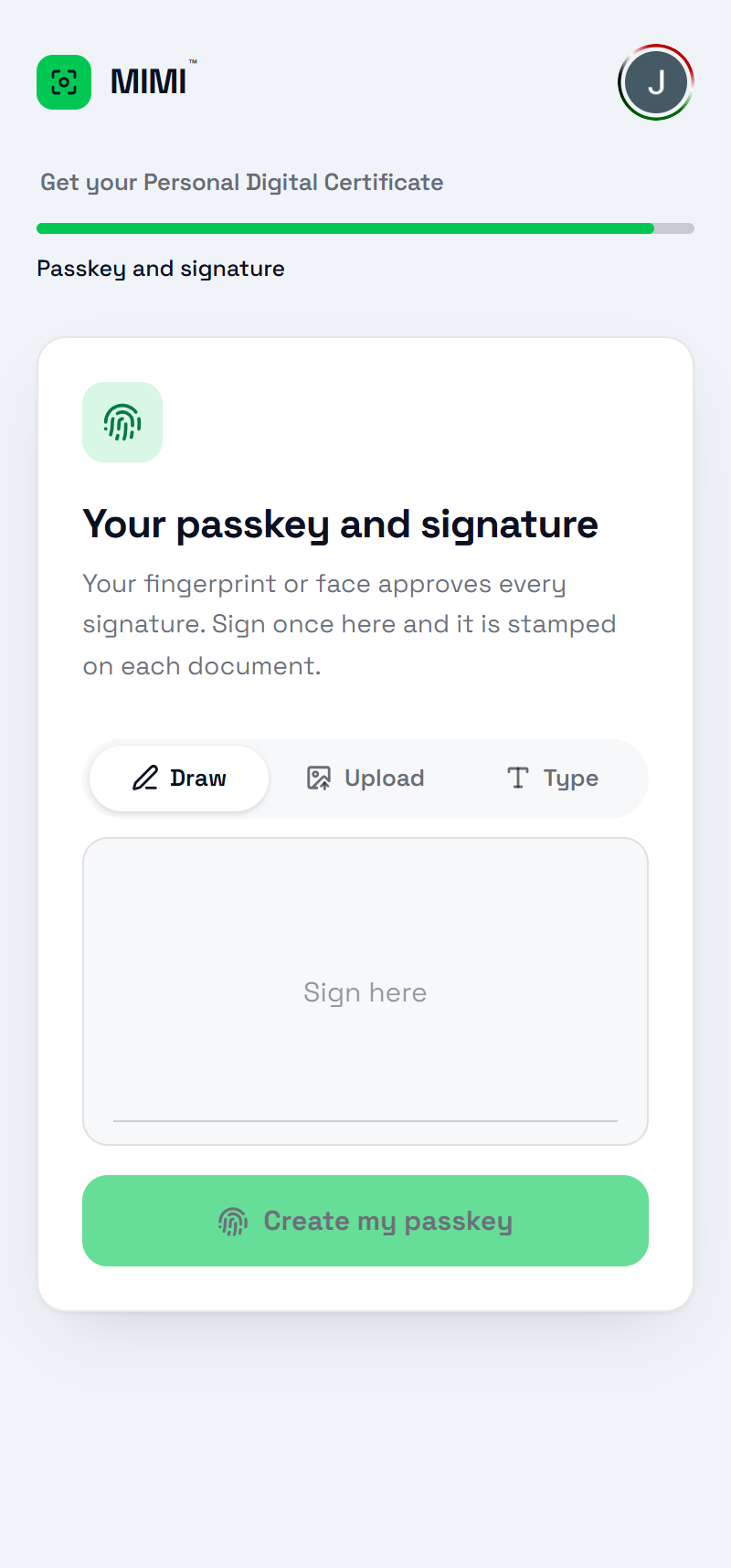
8Passkey and signatureDraw the signature, then create the passkey.
9Certificate issuedSignature, certificate, the three proofs, 365 days.
Try the ID and signing demos ↗ SecurySign docs
Journey 2 · loginB · Coming soon

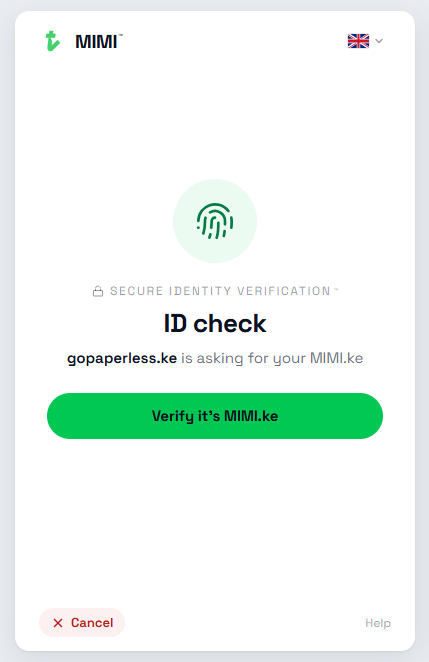
Sign in with MIMI

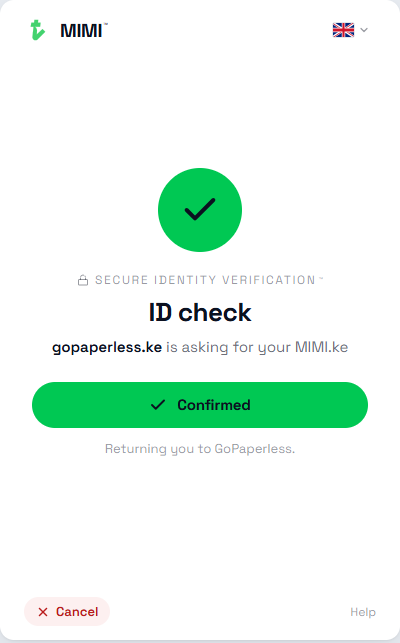
Coming back needs one proof, not three. Here GoPaperless is the app asking.

1An app asksgopaperless.ke is asking for your MIMI.ke.
2Fingerprint or faceConfirmed. Back to the app, signed in.
Journey 3B · Coming soon

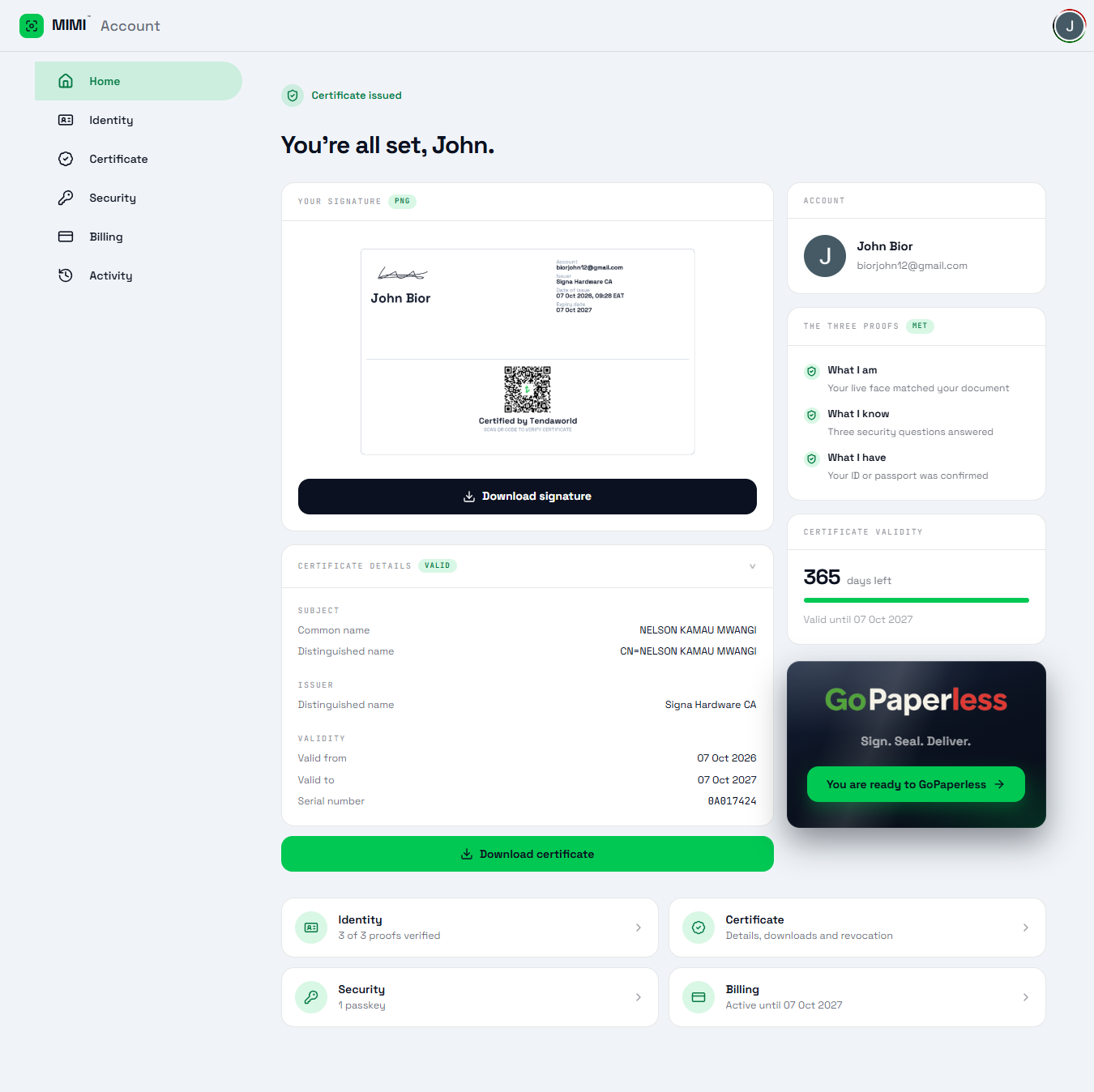
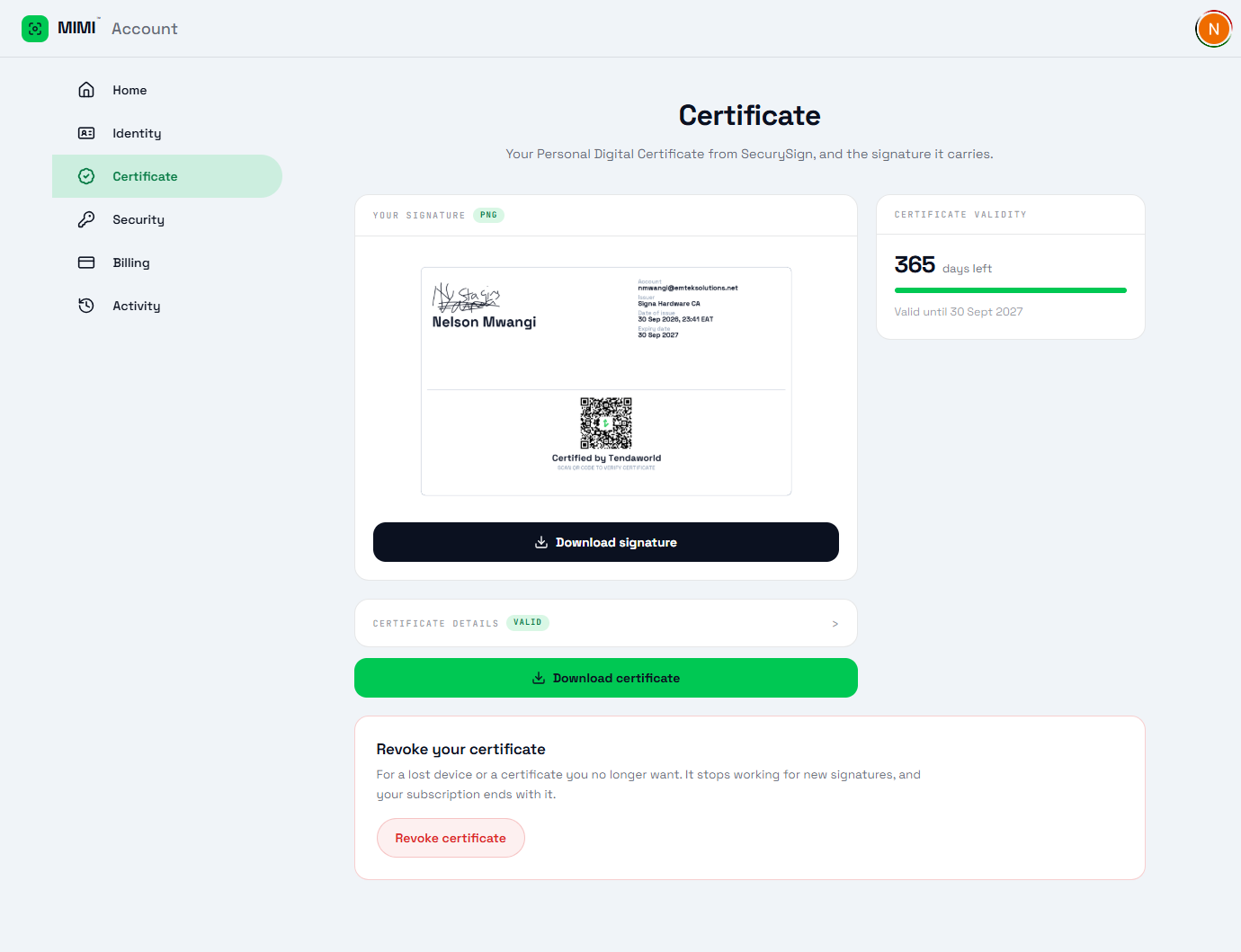
Account, signature and certificate

Home · Identity · Certificate · Security · Billing · Activity.

1HomeSignature, certificate, the three proofs and days left.
2CertificateDownload it, or revoke it if a phone is lost.

How they fit together

From ID card to signed document

Four links in one chain. The customer only deals with the first two.
mimi-asking
01 · Verify the person

MIMI

Checks the ID, the face and three questions.
a-send-ready
02 · Prepare the document

GoPaperless

Upload, add signers, place the boxes, send.
a-reg-passkey
03 · Sign with trust

SecurySign

Holds the signer's certificate and the key their fingerprint or face unlocks.
a-sign-valid
04 · Certify

JuliCA

The certification authority, regulated by the Communications Authority of Kenya.

Asset kit

Logos and screens

Tap any screen on this page to open it full size. The arrow on each one saves it.

Not final. The MIMI logo and brand assets are still being decided. Some MIMI screens still show test names.
Green #00C853 Navy #0B1120 White #FFFFFF
Everything in one fileEvery logo and every screen on this page, as PNG.
Save